
See what AI says about your brand.
Know what to do next.
IndexHalo asks your buyers’ questions across ChatGPT, Gemini, Google AI Mode, Claude and Perplexity, keeps every full answer and citation, and turns them into findings, actions and reports. Each product example below comes from retained answers or shows the app’s own settings, with its scope and date.
Inside the IndexHalo dashboard
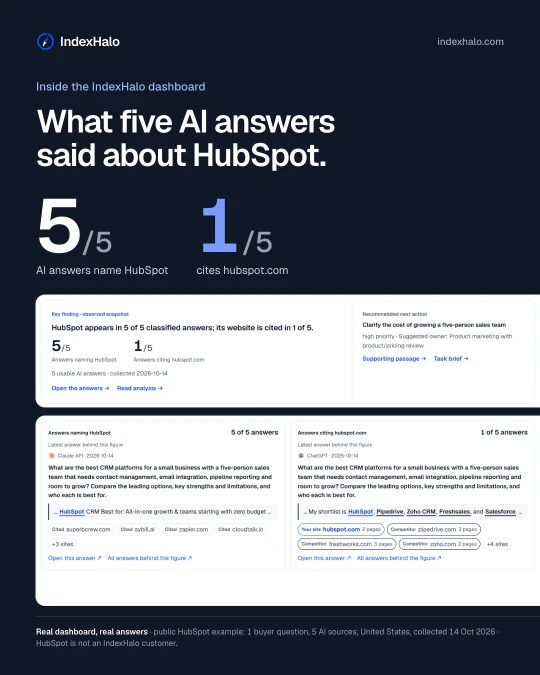
Real screens from the public HubSpot demo: one buyer question, five AI sources, collected 14 October 2026.
Find the content AI looks for
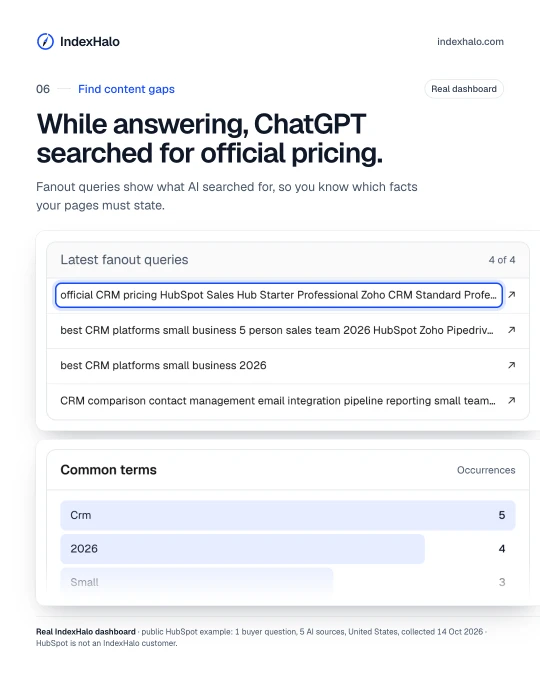
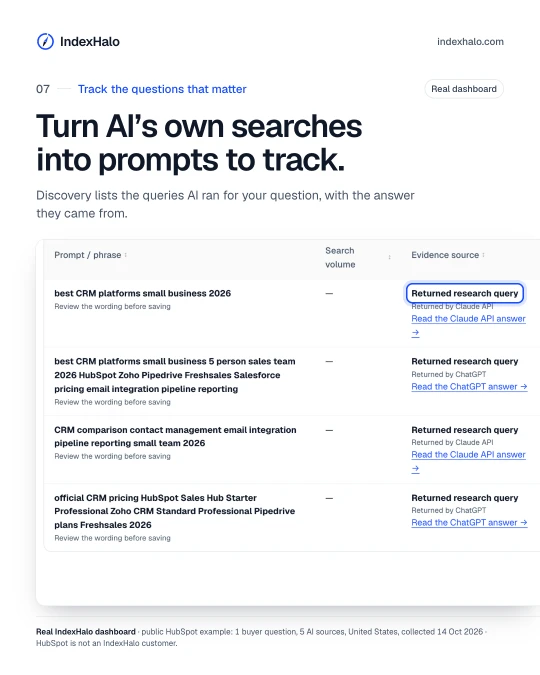
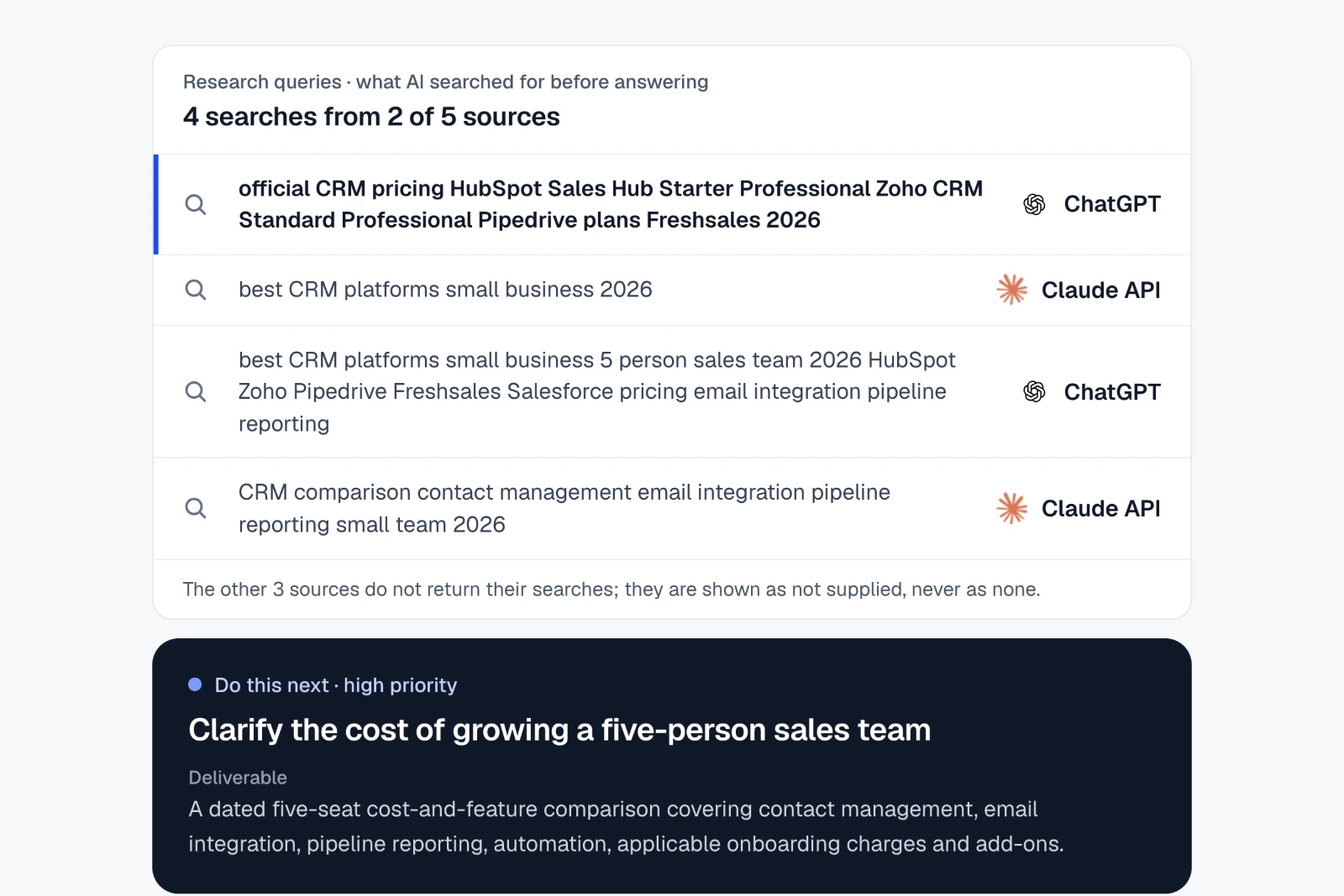
IndexHalo keeps the searches AI returns with its answer and the topics every answer raises, so you can see what information AI looks for and get a brief for the page to add or fix.
How to do it in IndexHalo
Results Chats Fanouts
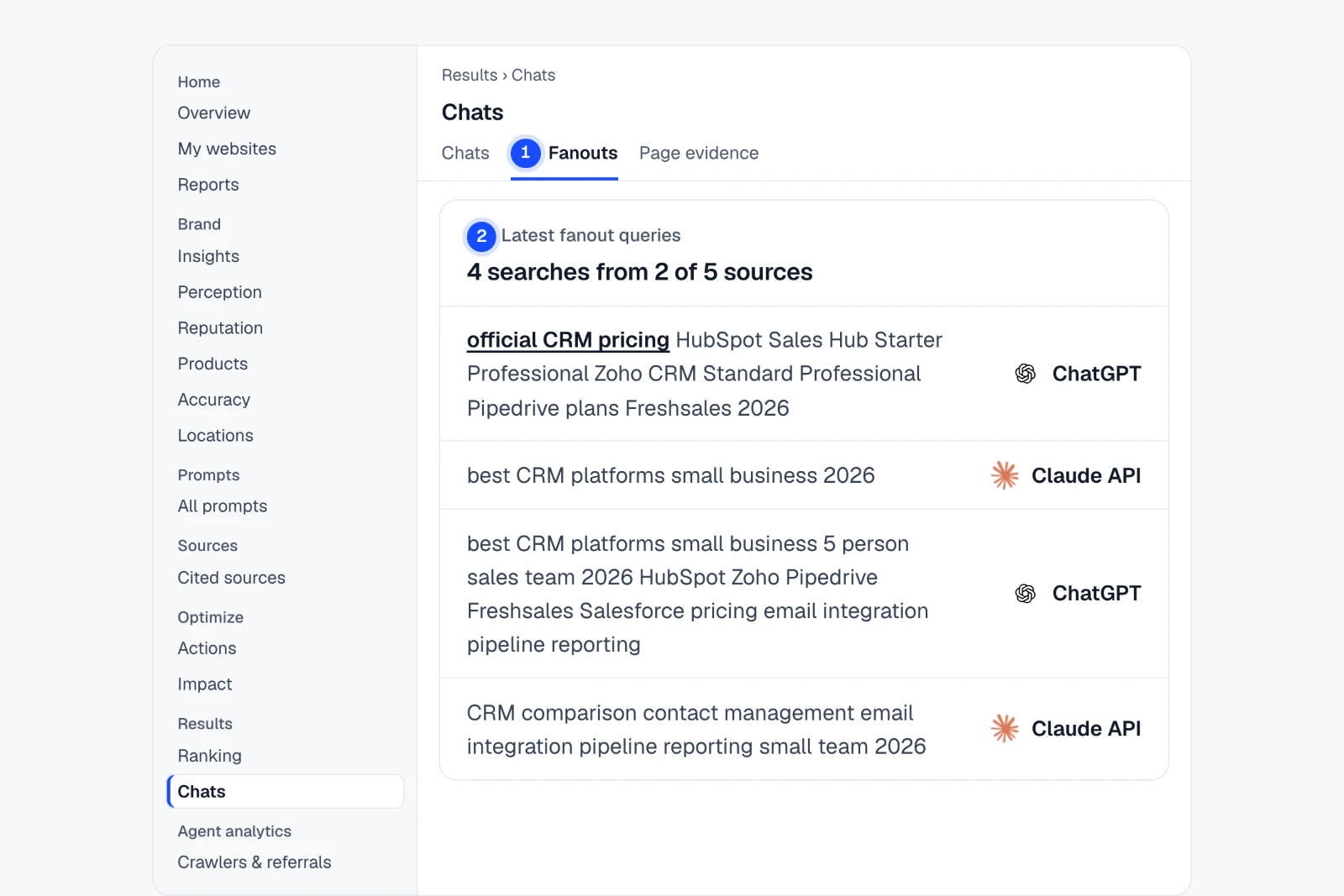
- Open Chats › FanoutsEvery search an AI source returned with its answer, by question.
- Read “Latest fanout queries”Spot what AI goes looking for, such as official pricing.
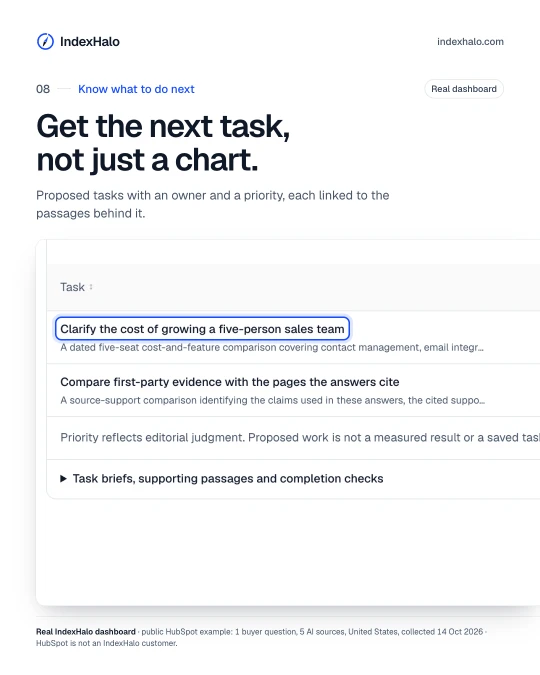
- Open the brief in ActionsTurn the gap into a page to add or fix, with the evidence attached.
Fanout queries appear only when the AI source returns them. In this example 2 of 5 did.
Example findingAI went looking for official pricing. Every answer raised upgrade costs.
See where it is in the app Step-by-step guide
Win the links behind your mentions
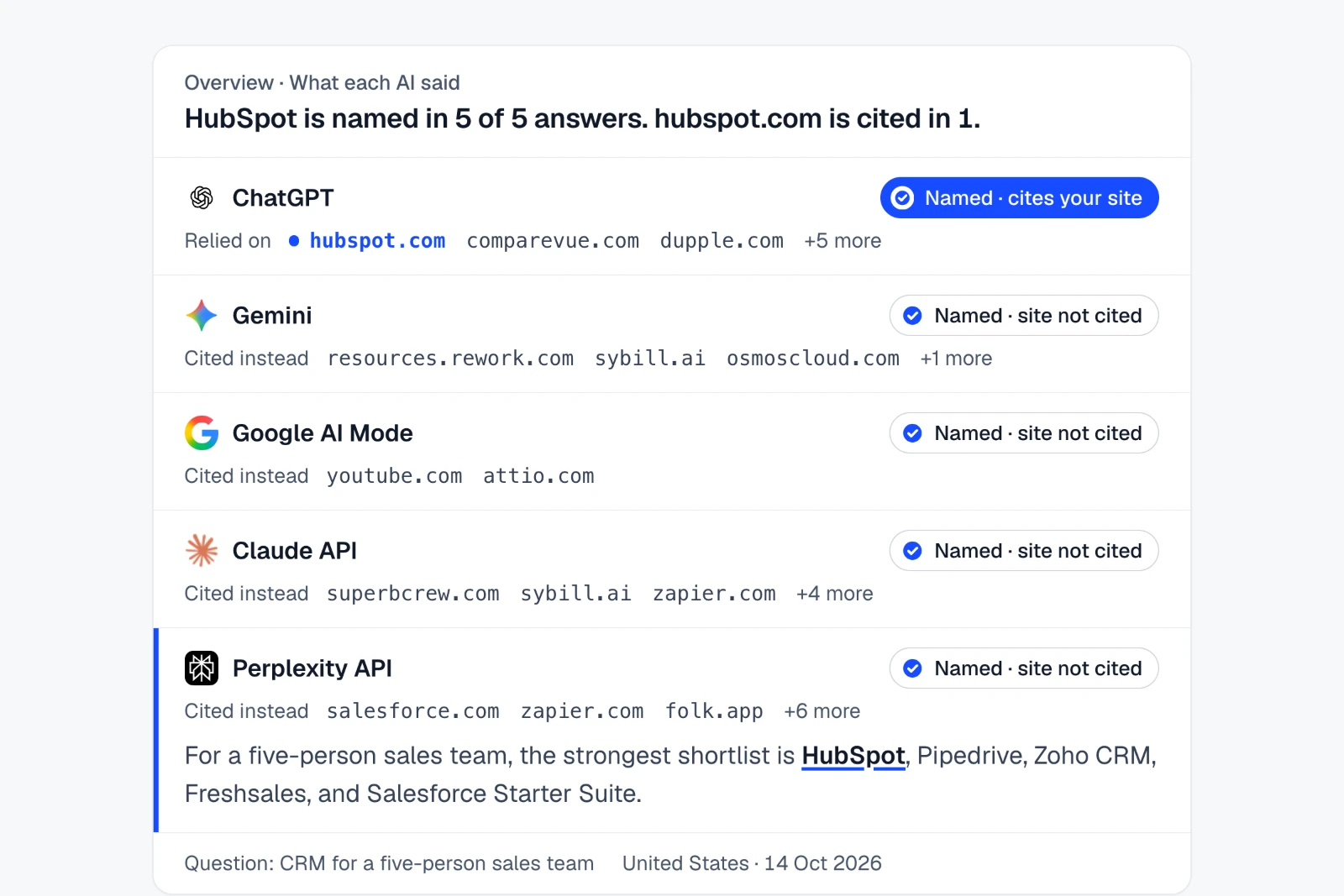
Find every answer that names your brand without citing your website, and see the pages it relied on instead, so you can fix your content and earn the citation.
How to do it in IndexHalo
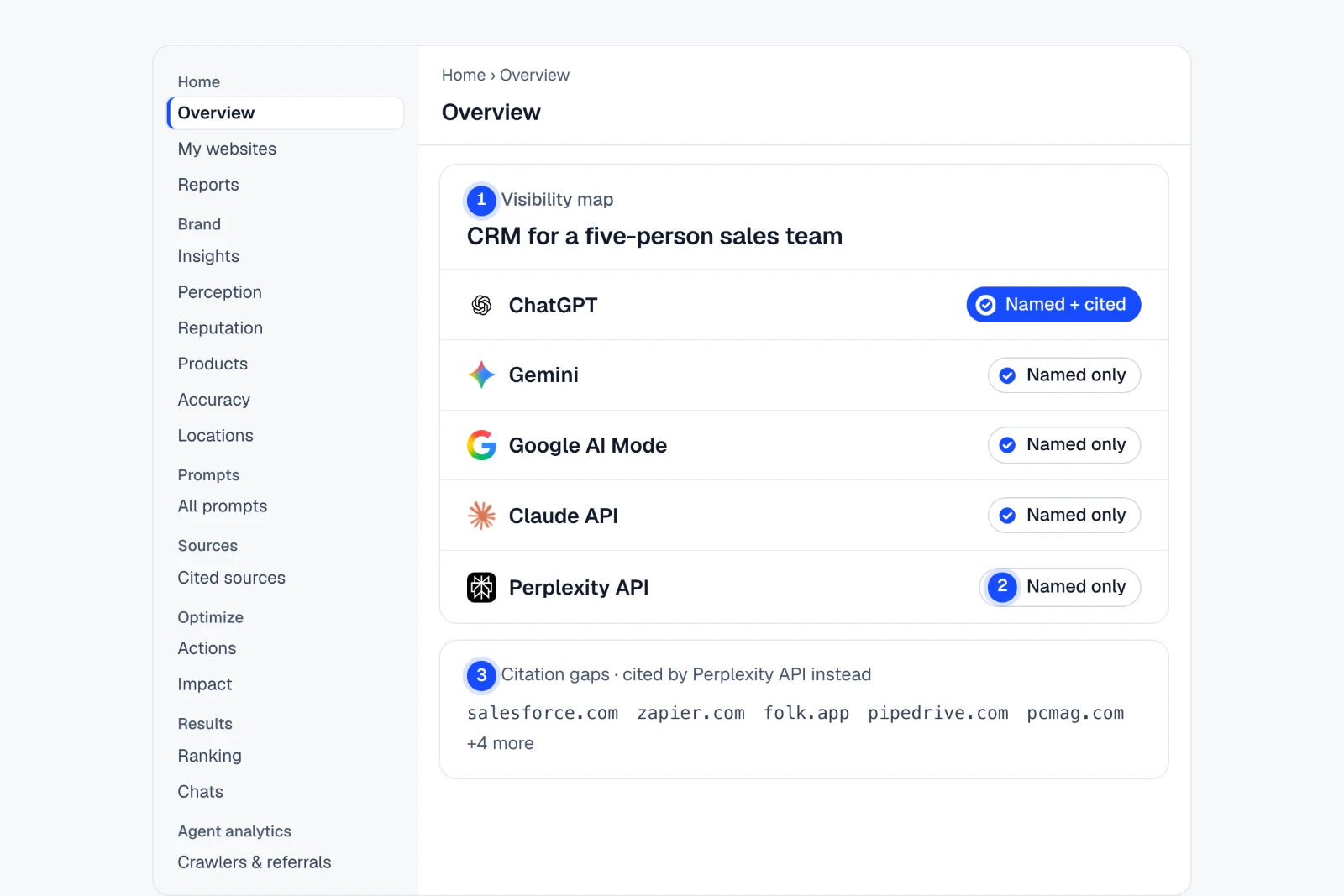
Home Overview Visibility map
- Open Overview › Visibility mapOne cell per AI source for each question you track.
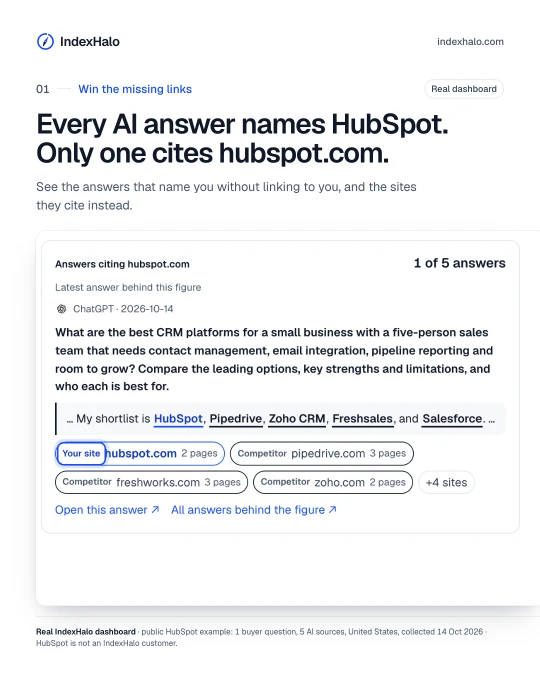
- Look for “Named only”Named, your site not cited: the answer mentions you but does not cite your website.
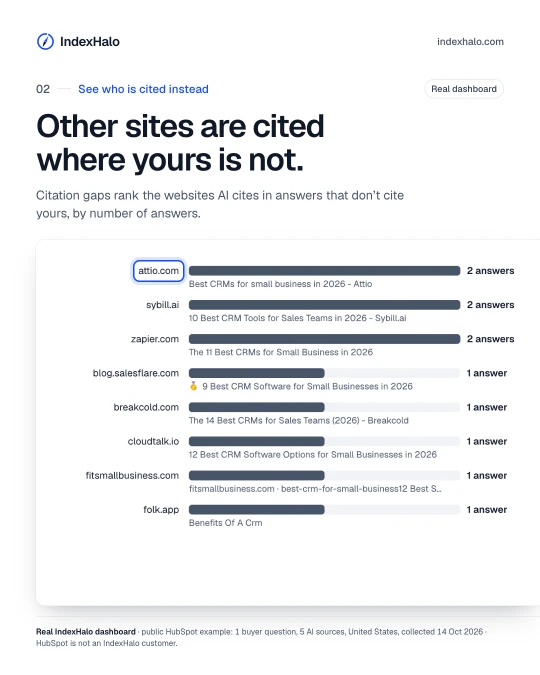
- Open “Citation gaps” in Cited sourcesSee the third-party sites cited instead, then save a task.
A citation alone does not show why an answer chose a source. Study the cited pages before you act.
Example findingEvery AI answer names HubSpot. Only ChatGPT cites hubspot.com.
See where it is in the app Step-by-step guide
Copy-ready rules for AI crawlers
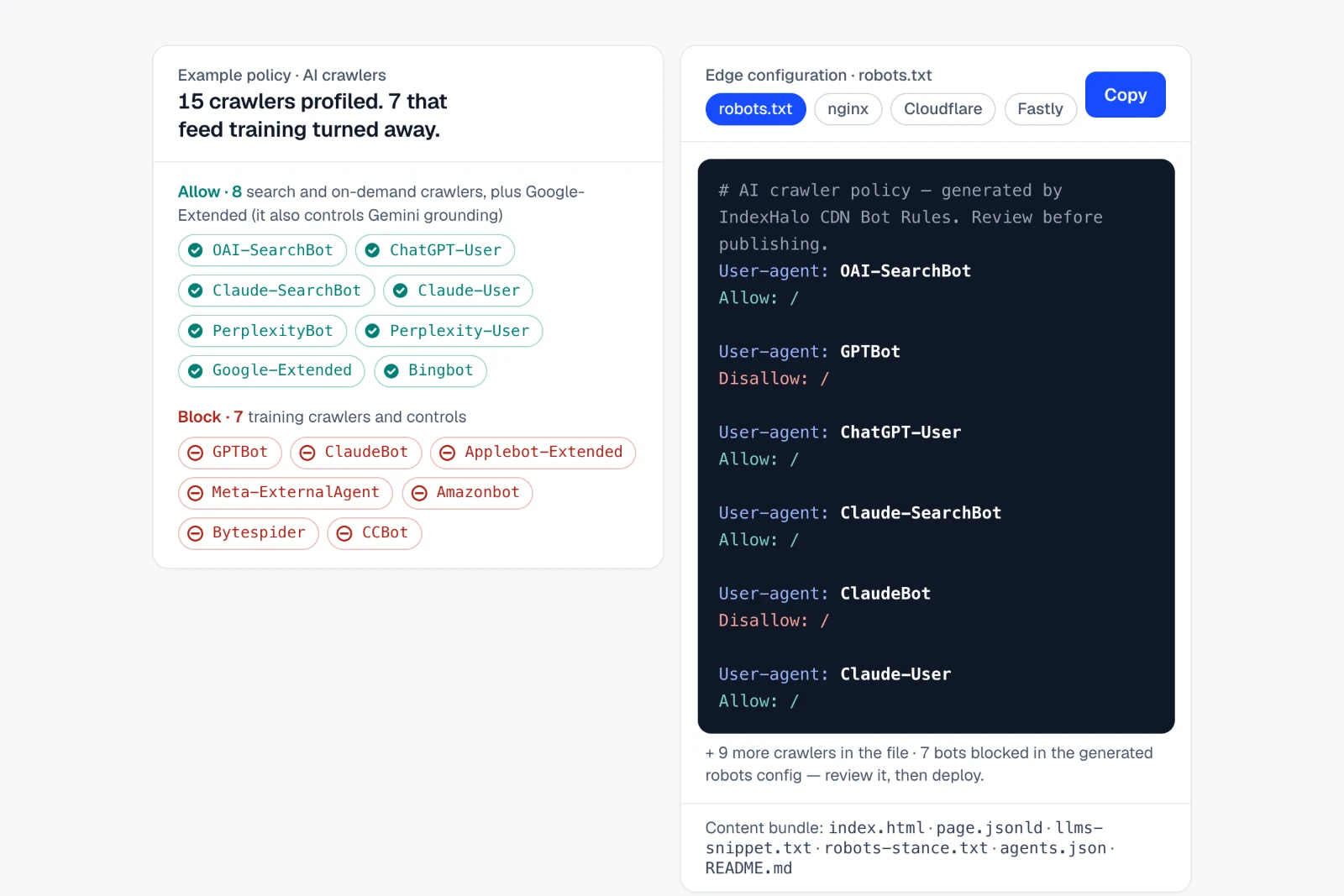
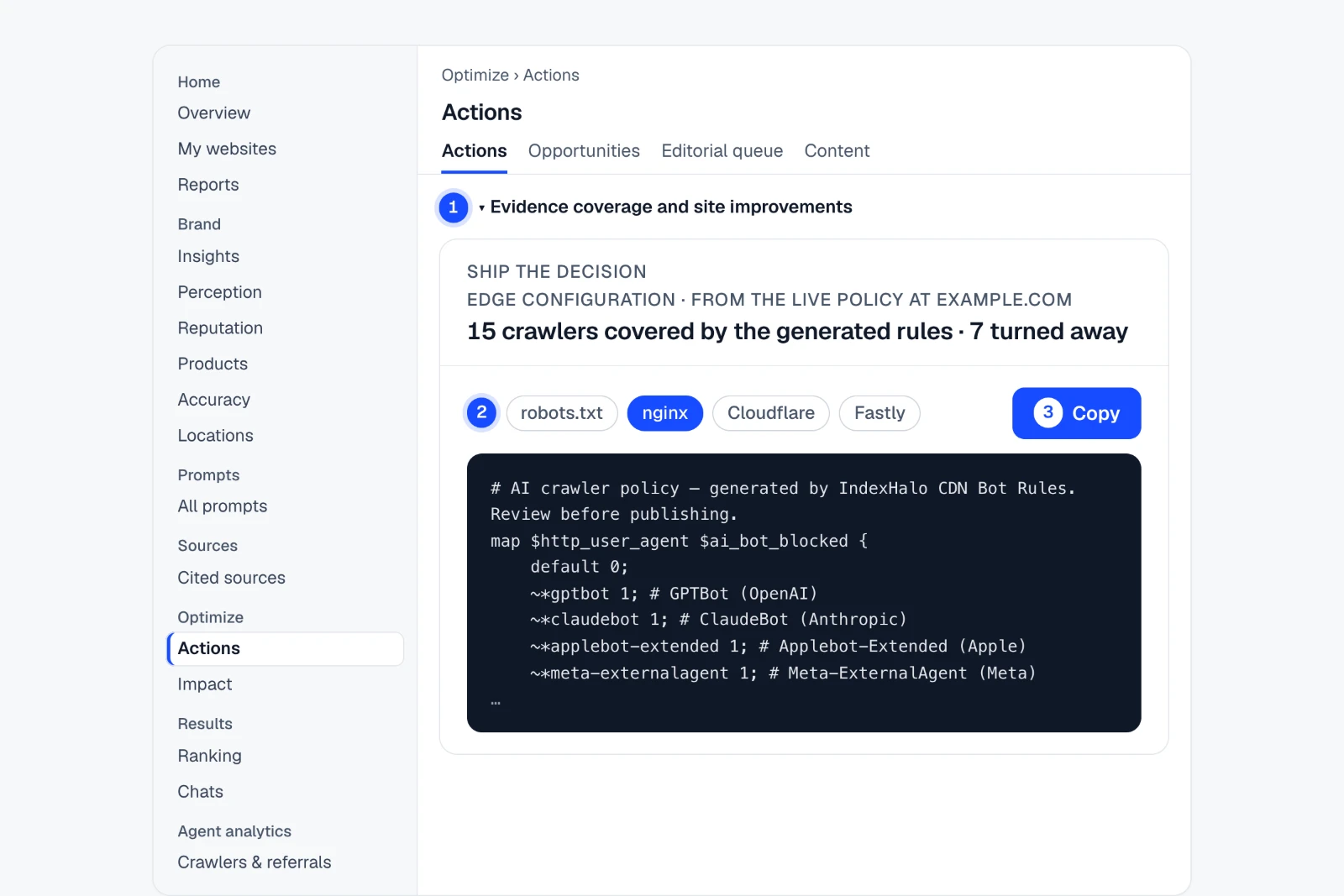
Turn the AI crawler policy live on your site into copy-ready rules for robots.txt, nginx, Cloudflare or Fastly, and see which crawlers feed AI training and which answer and cite. Export page content as a bundle with JSON-LD, an llms.txt snippet and agents.json.
How to do it in IndexHalo
Optimize Actions Evidence coverage and site improvements
- Open Actions › “Evidence coverage and site improvements”Expand it to find the Edge configuration card, under “SHIP THE DECISION”.
- Pick a targetrobots.txt, nginx, Cloudflare or Fastly.
- Copy, then reviewRead the generated rules before you deploy them.
Generated from the crawler policy live at your brand’s website, so the brand needs a website address. The example policy blocks the crawlers that feed AI training.
Example findingBlock the crawlers that feed AI training. Keep the ones that answer and cite.
See where it is in the app Step-by-step guide
Track what AI says about you
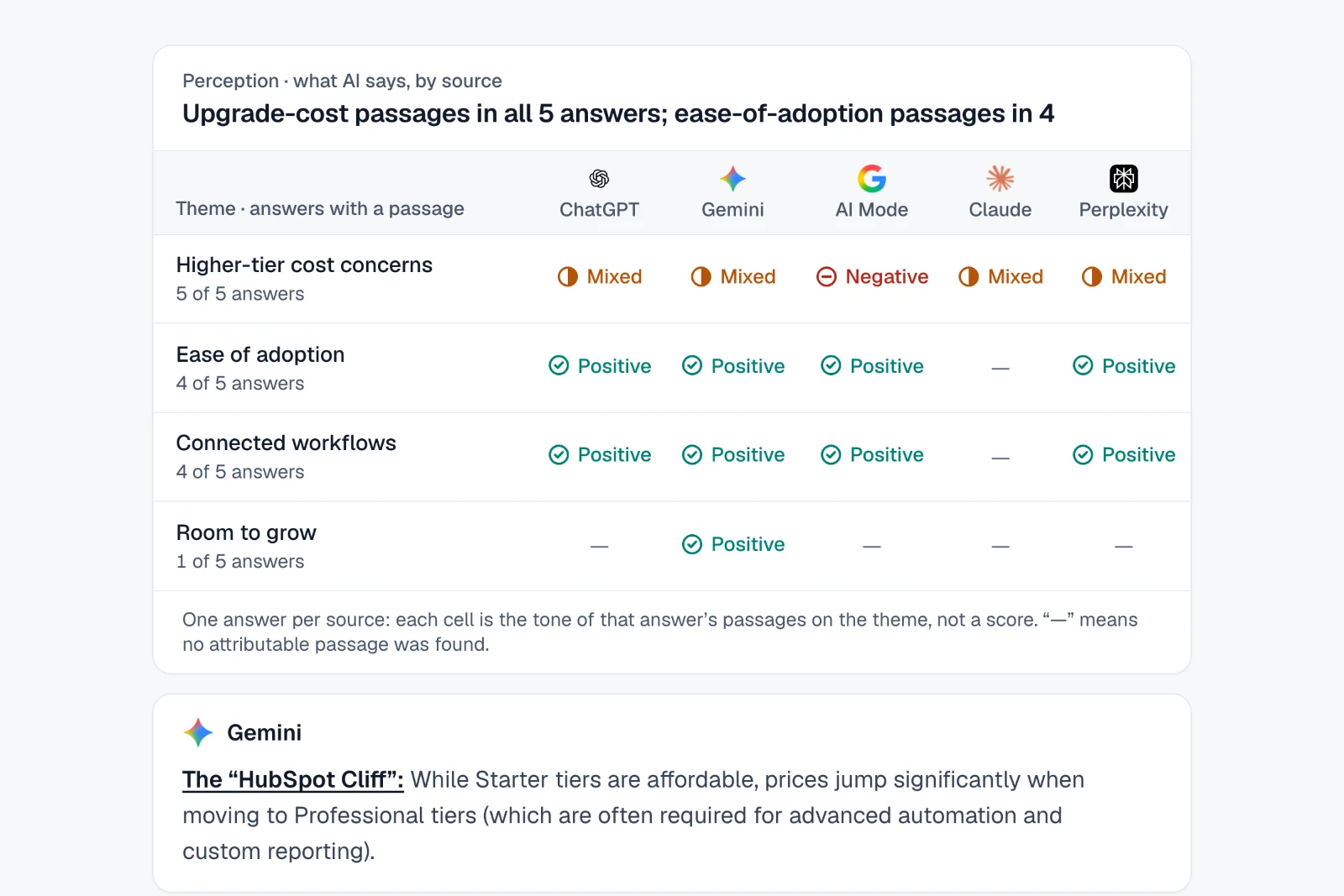
See the strengths and concerns AI repeats about your brand, how the tone differs between ChatGPT, Gemini, Google AI Mode, Claude and Perplexity, and the exact passage behind each one.
How to do it in IndexHalo
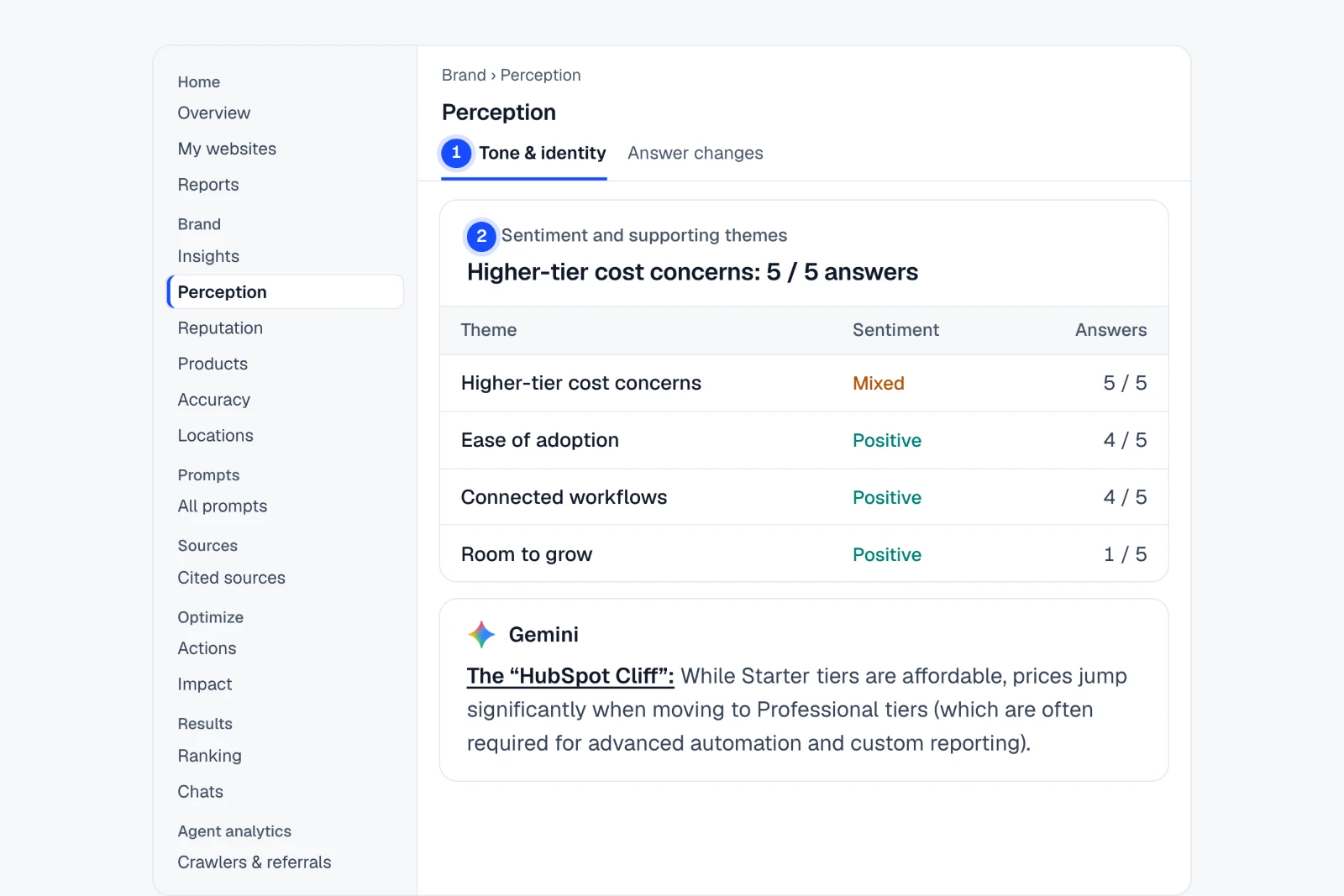
Brand Perception Tone & identity
- Open Perception › Tone & identityWhich attributes AI associates with you, source by source.
- Open “Sentiment and supporting themes”Each theme shows its sentiment and how many answers support it.
- Log what matters in ReputationAdd a concern to the “Issue register” and track it.
Tone comes from attributable English passages, not a model’s rating. Small samples are labelled.
Example findingAll five AI answers raise HubSpot's upgrade costs.
See where it is in the app Step-by-step guide
See where rivals are placed, and why
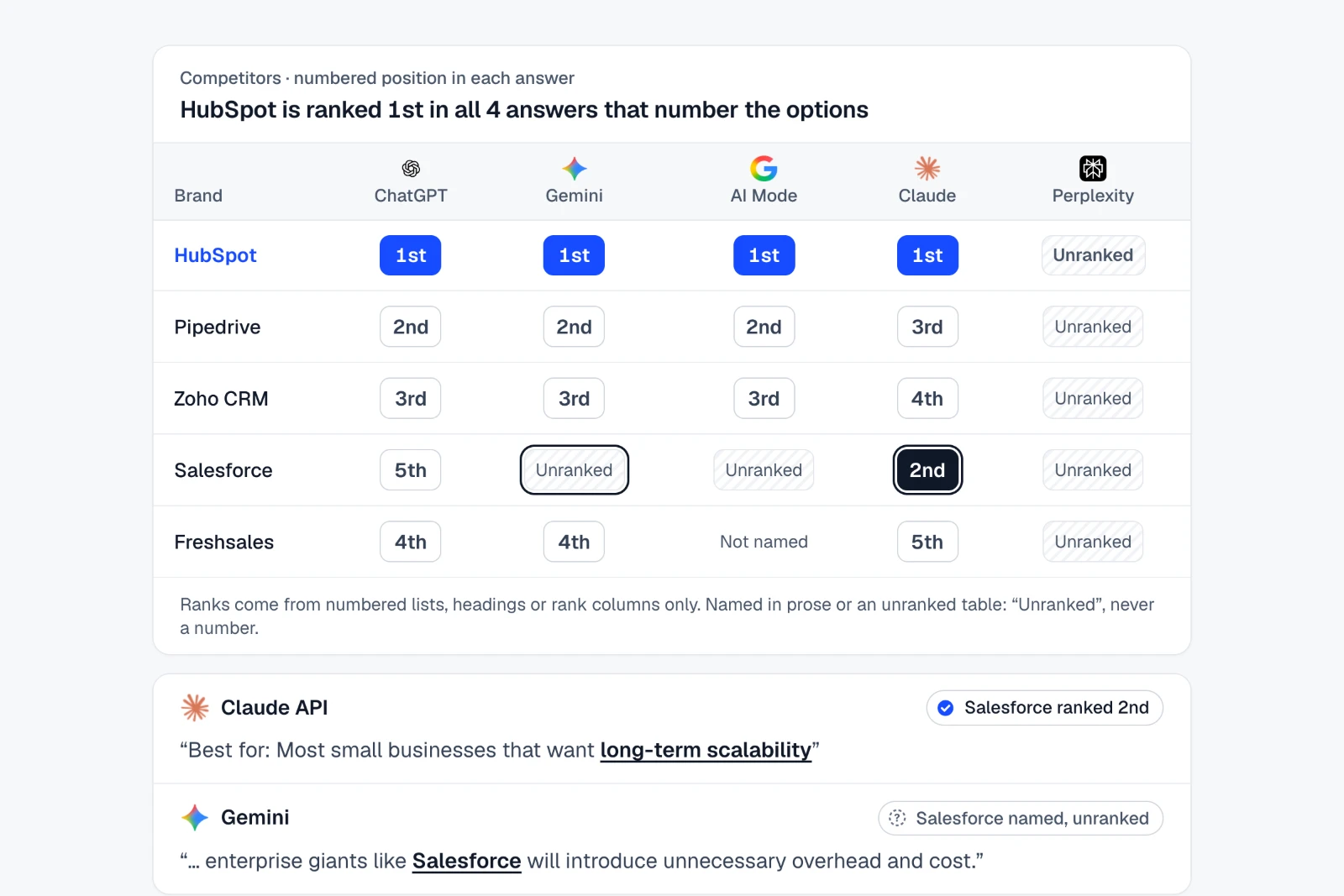
Run the questions your buyers ask and see which rivals each AI names, where it ranks them when it numbers its options, and the reason it gives.
How to do it in IndexHalo
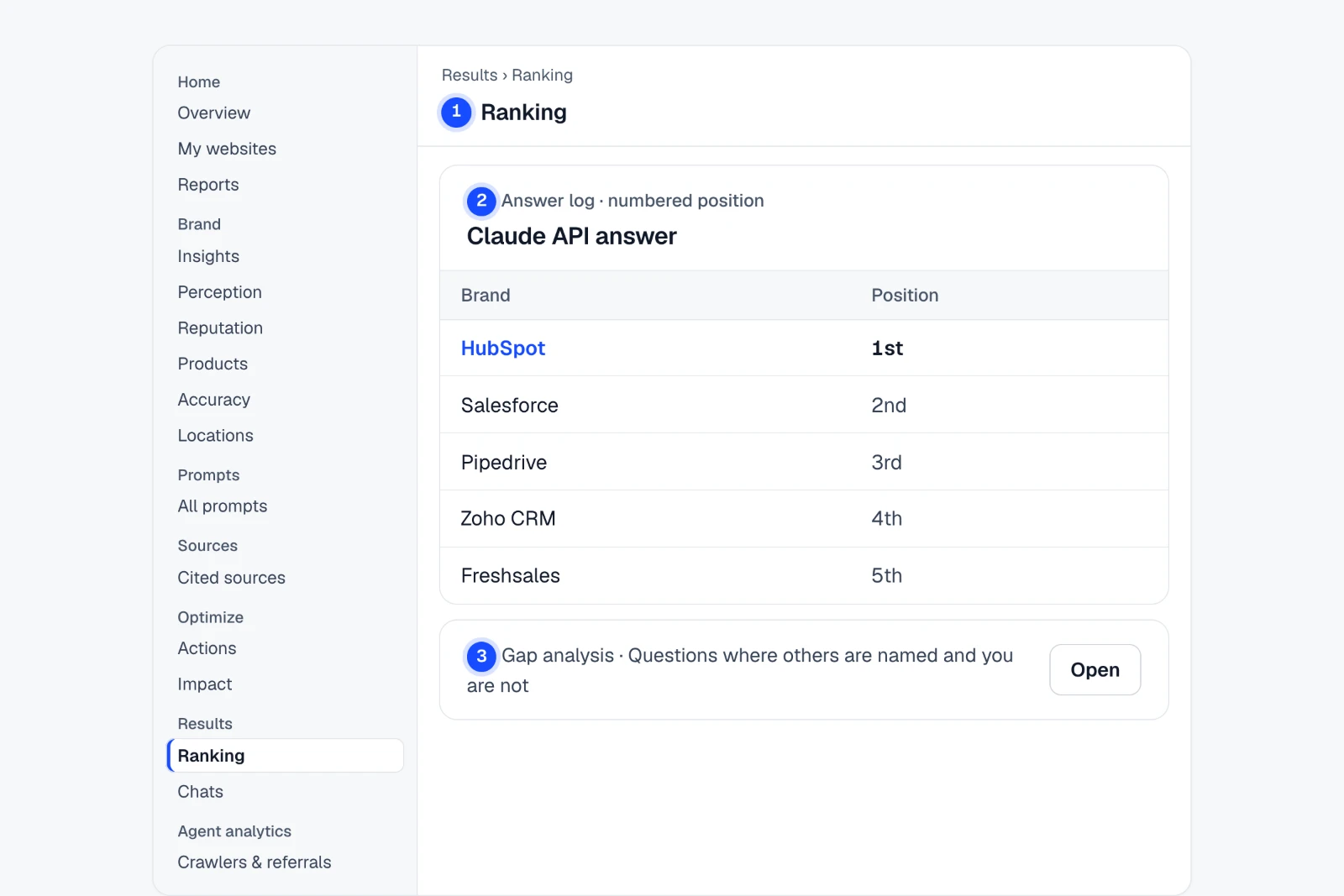
Results Ranking
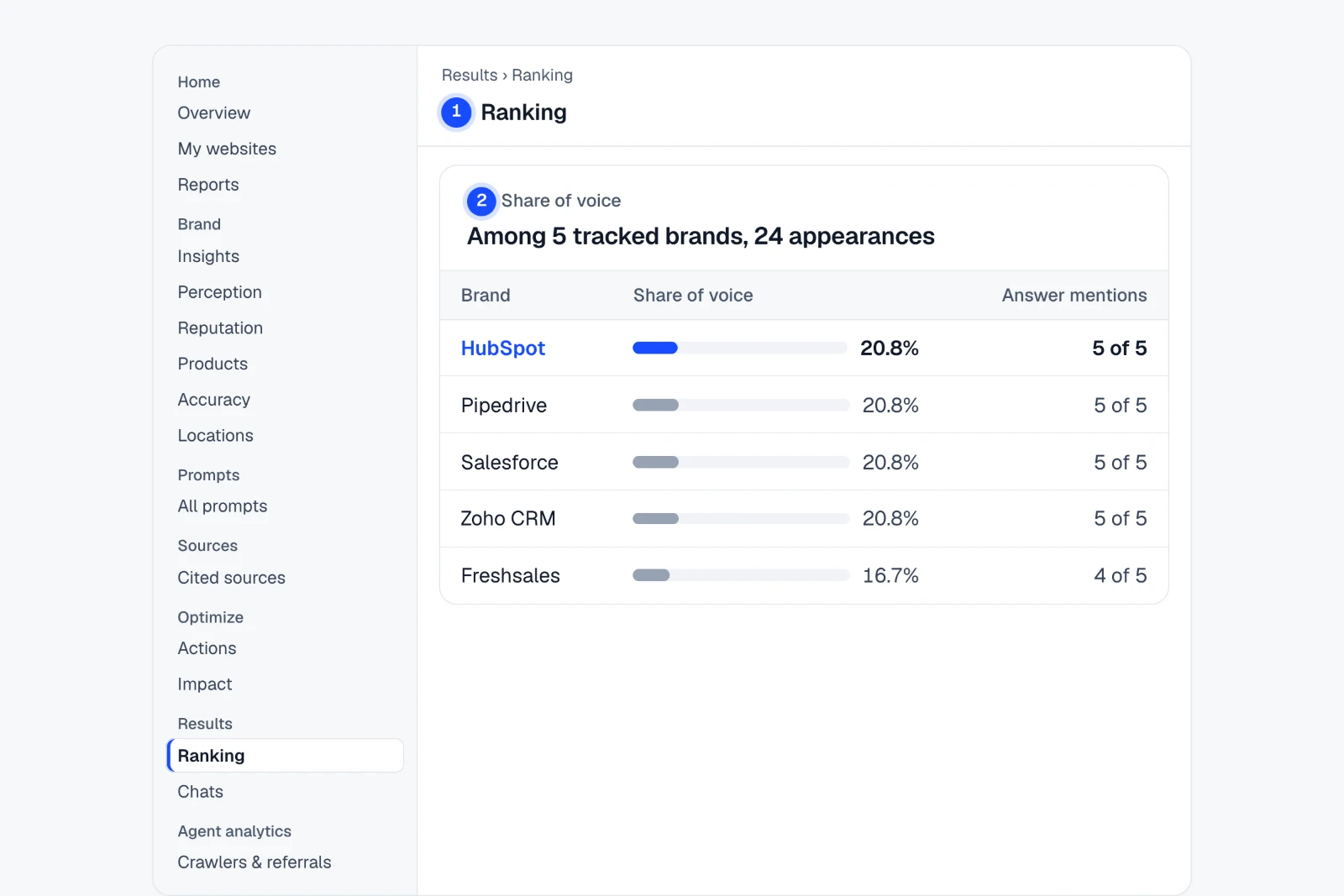
- Open Results › RankingLeader matrix, Share of voice and Answer log for your tracked brands.
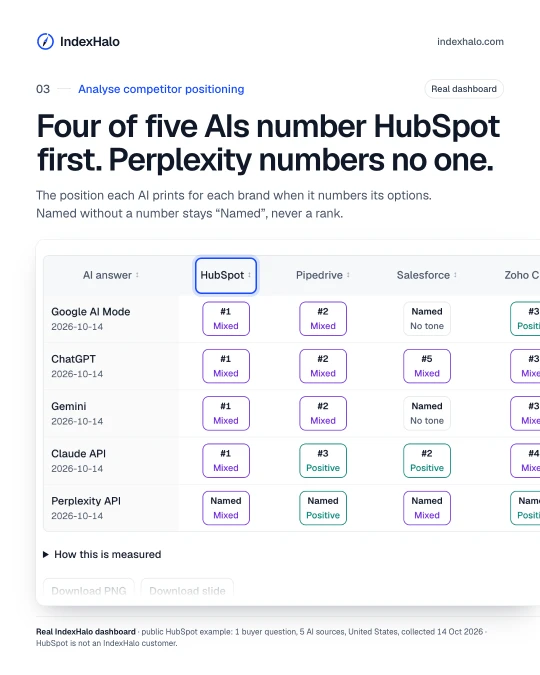
- Read the “Answer log”Each brand’s numbered position in each answer, and its tone.
- Open Cited sources › Gap analysisQuestions where others are named and you are not.
Add your competitors first. A rank counts only where an answer numbers its options.
Example findingClaude ranks Salesforce second. Gemini leaves it off the list.
See where it is in the app Step-by-step guide
Sharpen messaging with AI's own words
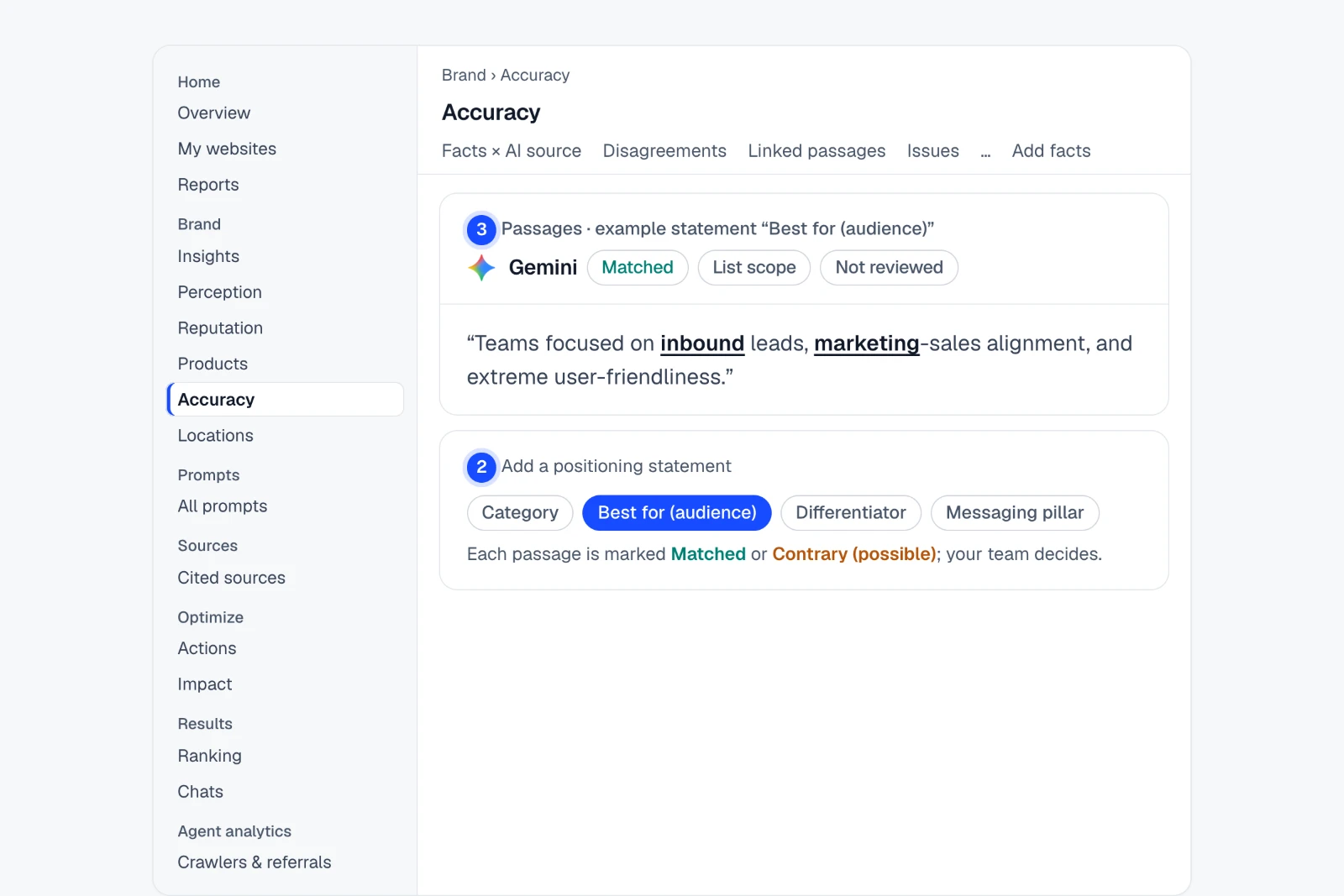
Read how each AI describes your product and who it says you are for, side by side, and check it against the positioning statements you set.
How to do it in IndexHalo
Brand Accuracy Positioning
- Open Accuracy › Positioning“How AI describes you” shows the wording that names you.
- Add your statementsCategory, Best for (audience), Differentiator or Messaging pillar.
- Review “Matched” and “Contrary (possible)”Wording that agrees with you, or may not. Your team decides.
Matching compares wording in English answers. There is no positioning score.
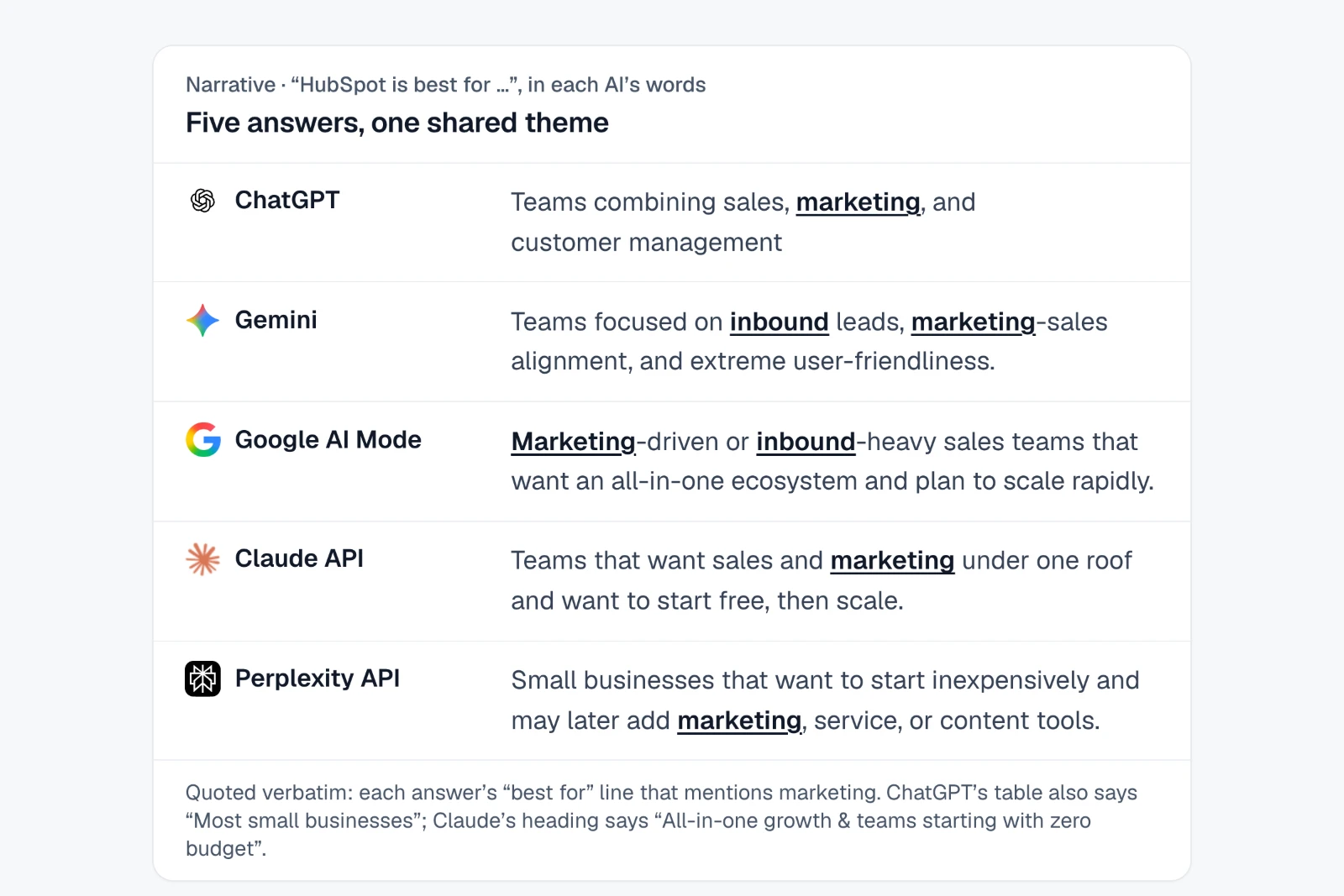
Example findingAsked who each CRM is best for, all five AI answers tie HubSpot to marketing.
See where it is in the app Step-by-step guide
Client-ready reports in the format they need
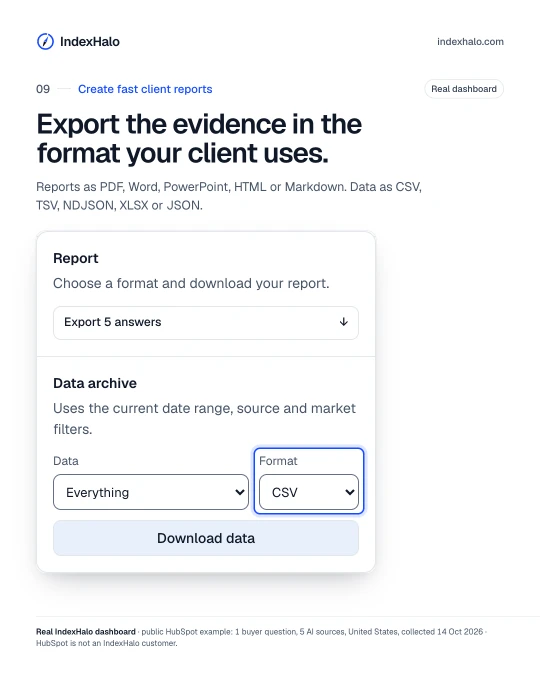
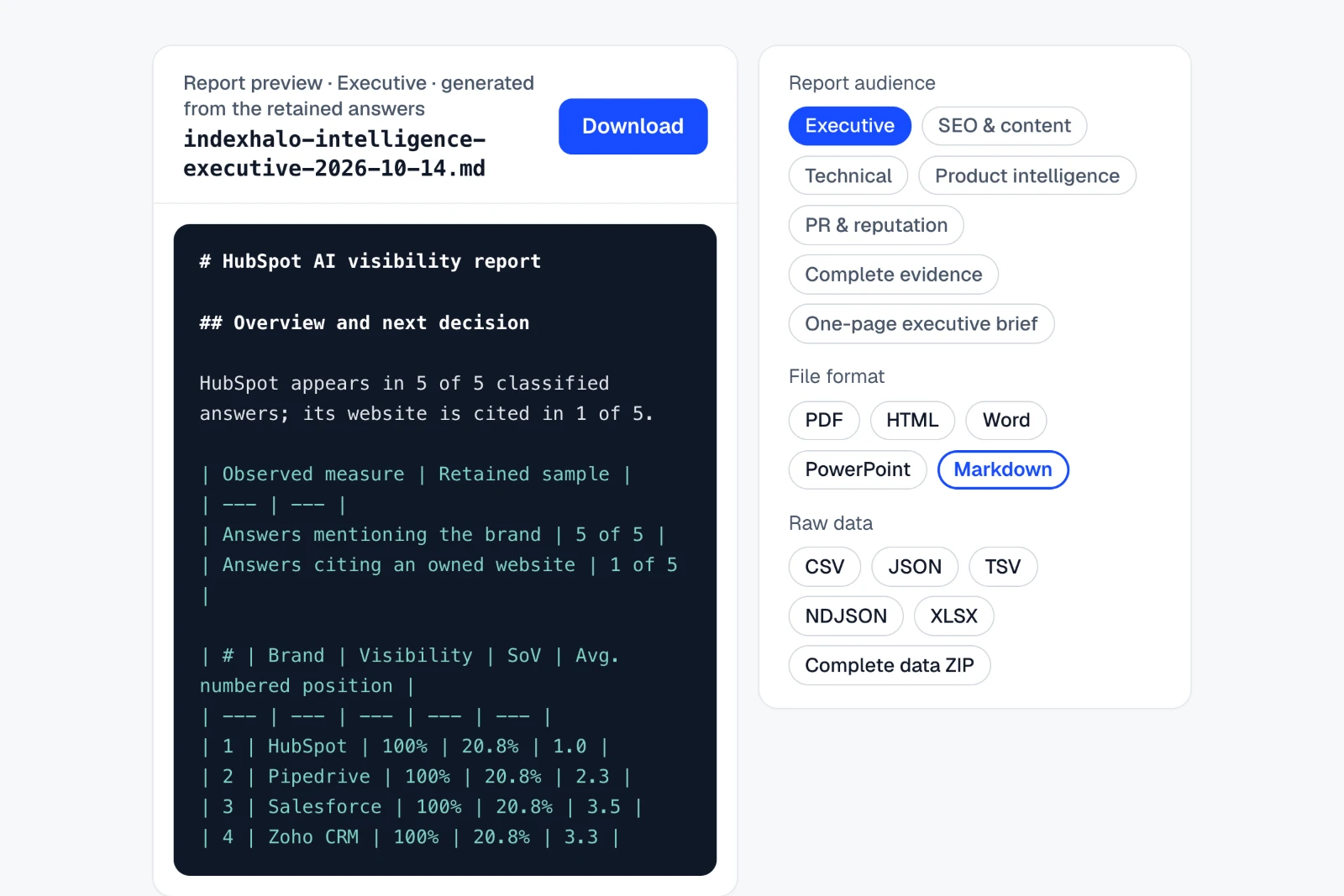
Export the same evidence as PDF, Word, PowerPoint, HTML or Markdown for 7 audiences, or the raw data as CSV, JSON, TSV, NDJSON or XLSX.
How to do it in IndexHalo
Home Reports
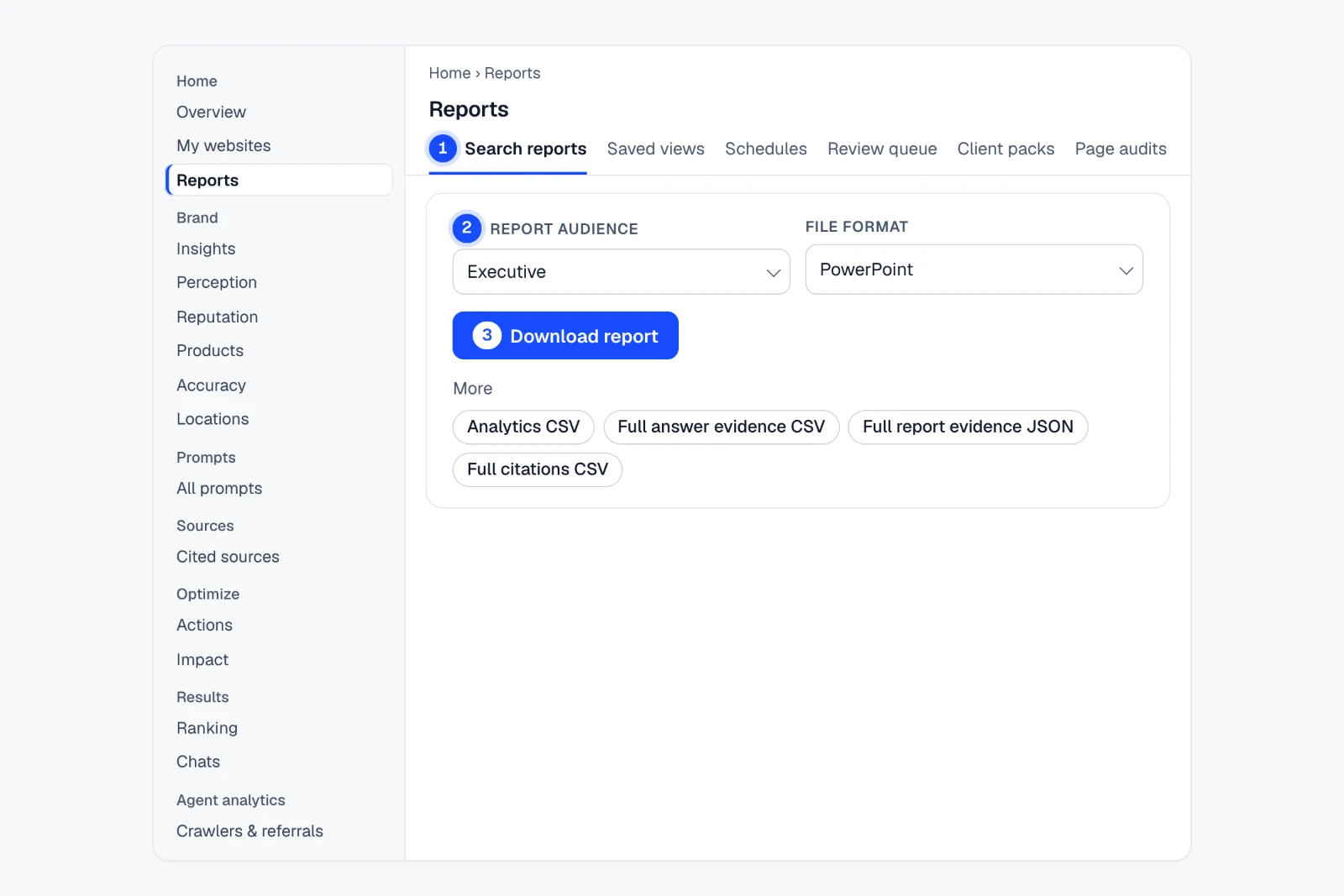
- Open Reports › Search reportsOpen a report; it keeps its evidence and scope.
- Pick “Report audience” and “File format”7 audiences; PDF, HTML, Word, PowerPoint, Markdown.
- Download, or take the dataUnder “More”: CSV and JSON evidence files, or the complete data ZIP.
XLSX applies to raw data exports, not report documents.
Example findingFrom retained answers to a client-ready report in one export.
See where it is in the app Step-by-step guide
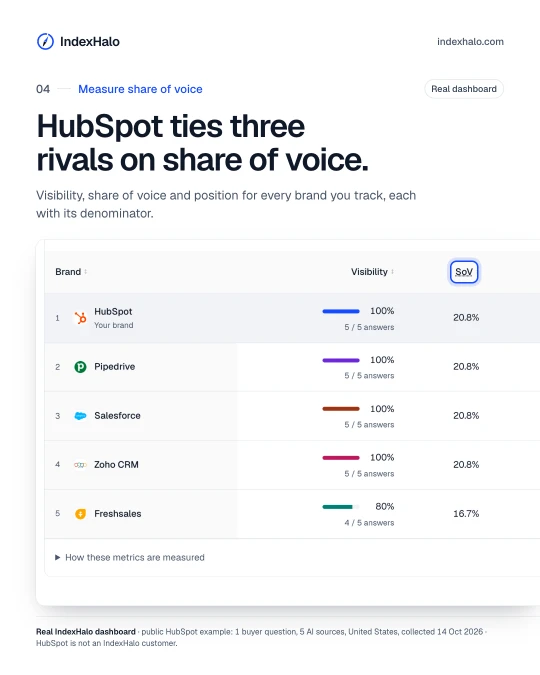
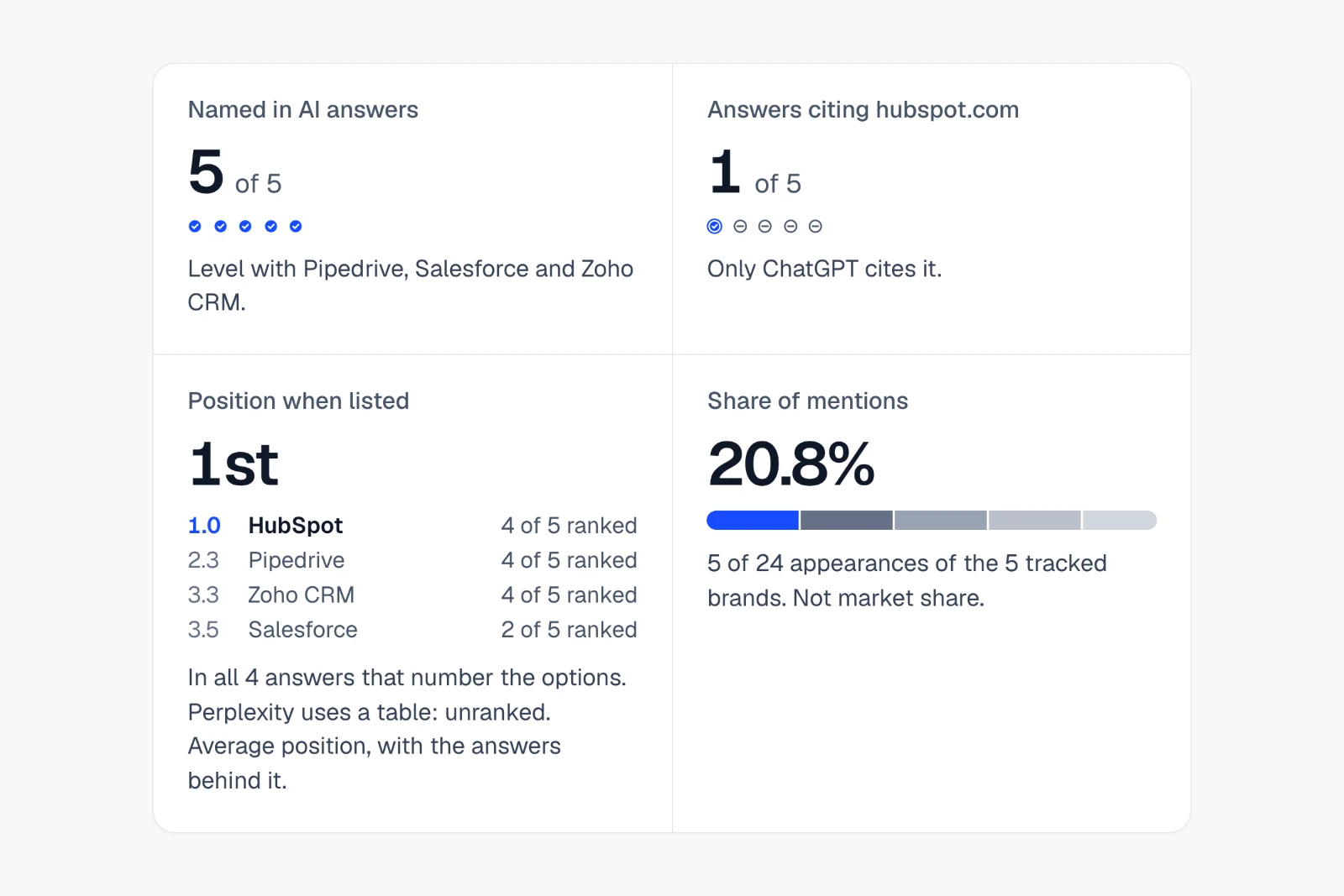
Share of voice and position, source by source
Track whether each AI names you, cites you and ranks you, and your share of mentions among the brands you track, with every denominator shown and no composite score.
Example findingLevel with three rivals on mentions. First in every numbered list.
See where it is in the app Step-by-step guide
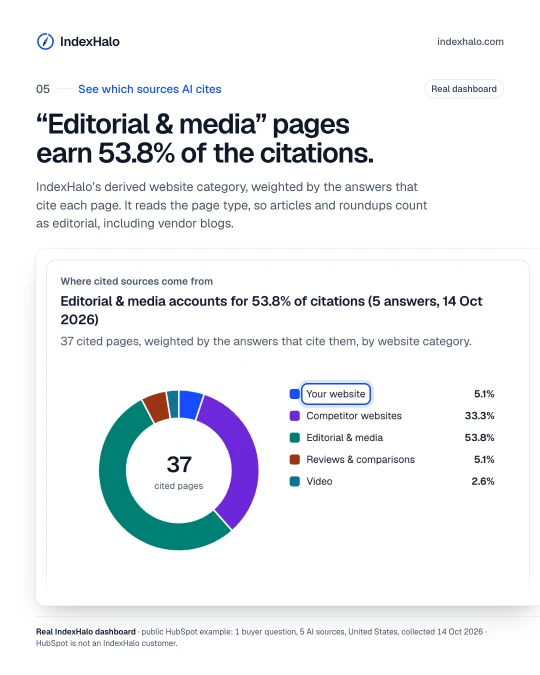
Know which sources AI cites
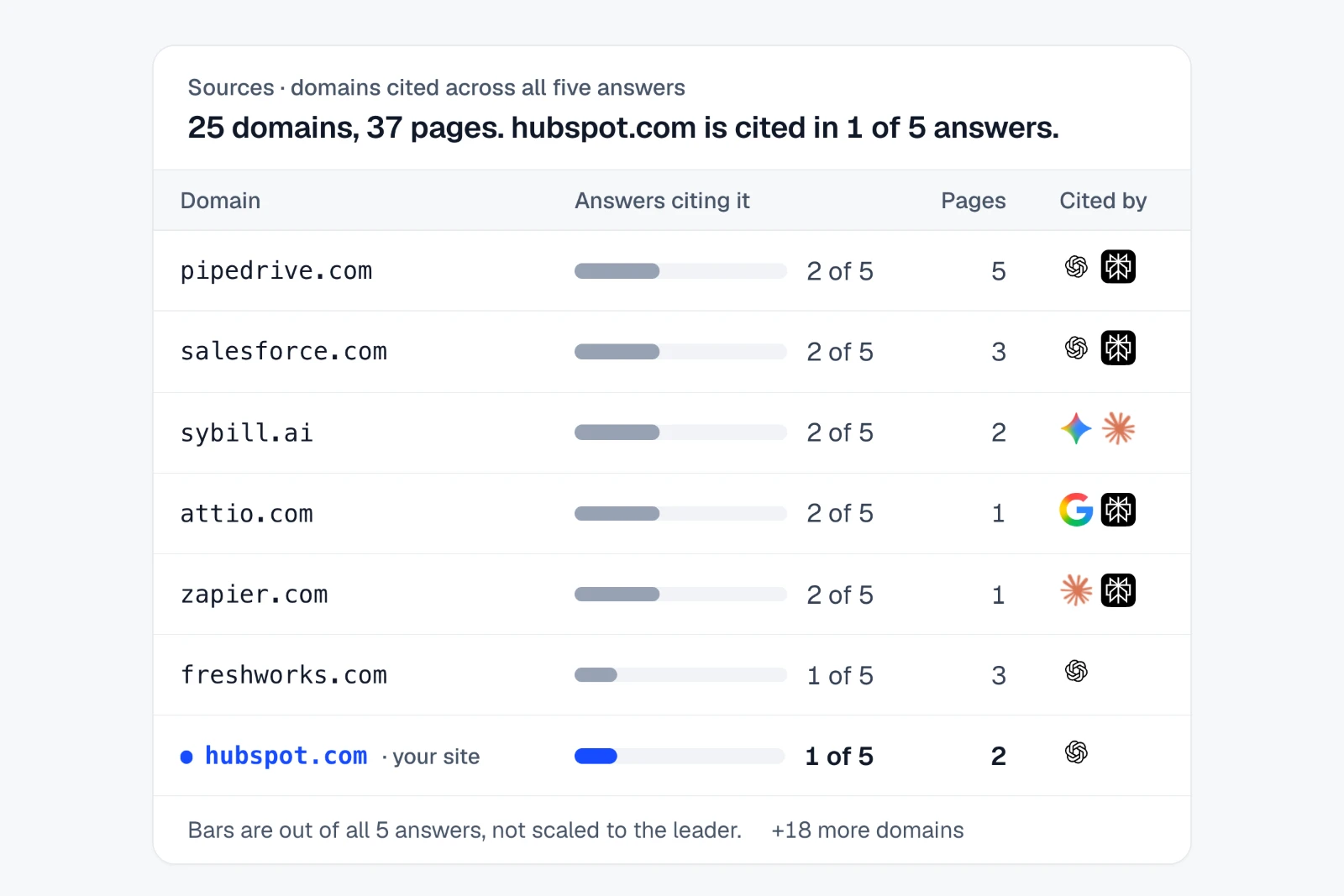
See every domain and page AI cited, how many answers used each one and which AI relied on it, including where rivals and review sites stand in for your site.
How to do it in IndexHalo
Sources Cited sources Domains
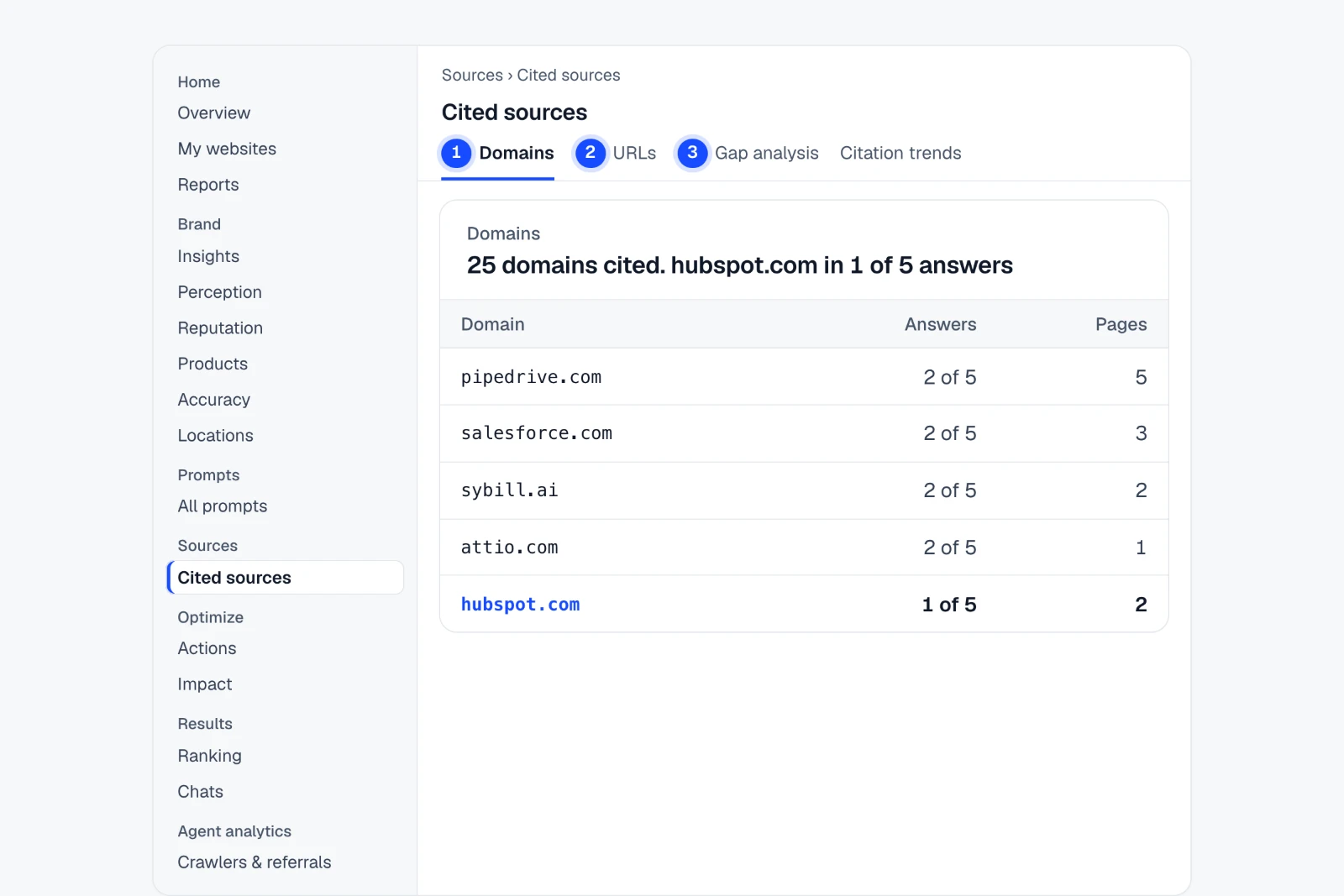
- Open Cited sources › DomainsEvery cited domain, how many answers used it and which AI.
- Switch to “URLs”The exact pages behind each citation.
- Use “Gap analysis”Questions where others are named and you are not.
Counts are distinct retained URLs; a domain counts once per answer.
Example findingFive answers cited 25 websites. hubspot.com appeared in one.
See where it is in the app Step-by-step guide
Check the facts AI states about you
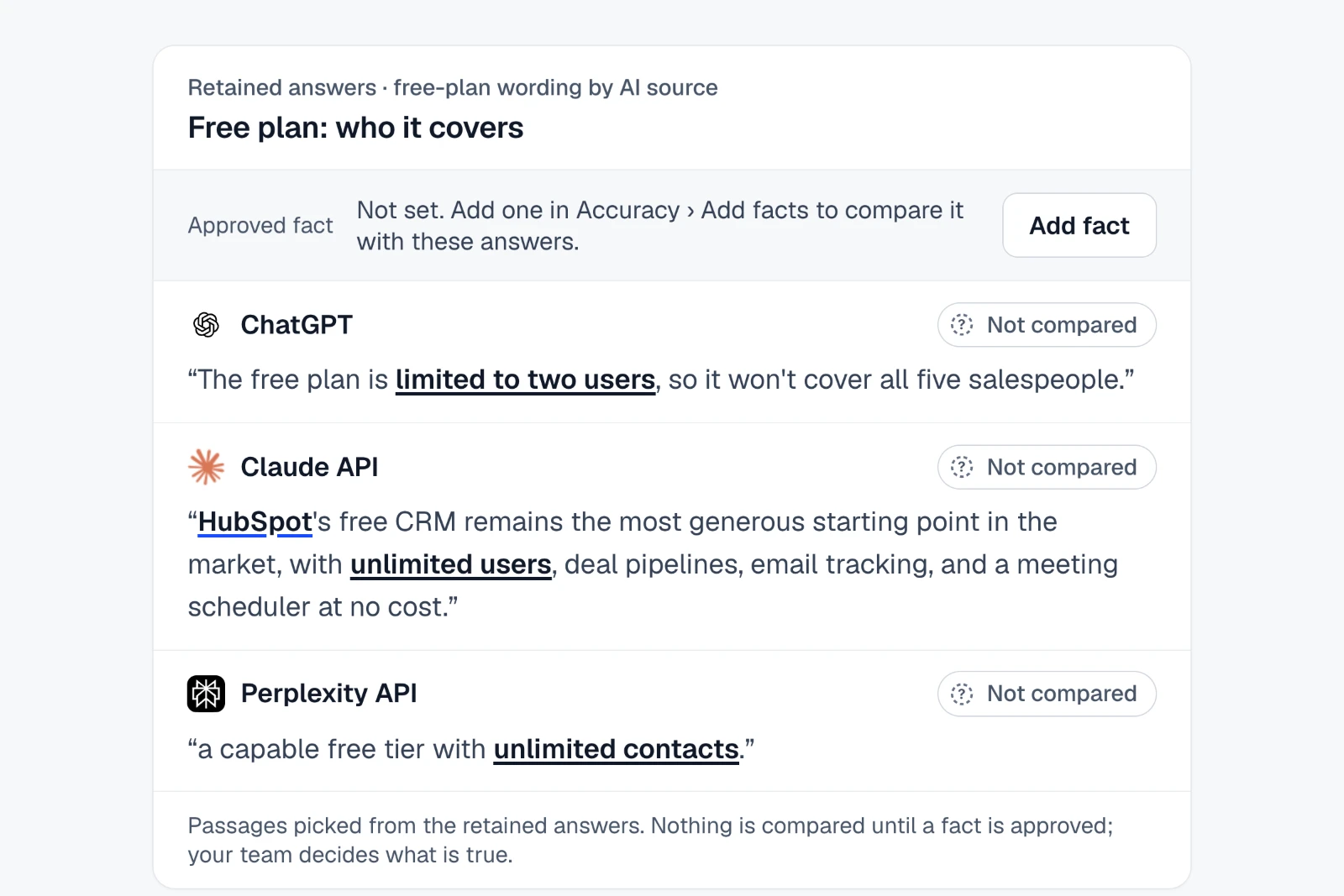
Add the plan, price and product facts you approve. IndexHalo sets each AI's wording beside them and keeps possible conflicts separate from confirmed issues; your team decides what is true.
How to do it in IndexHalo
Brand Accuracy
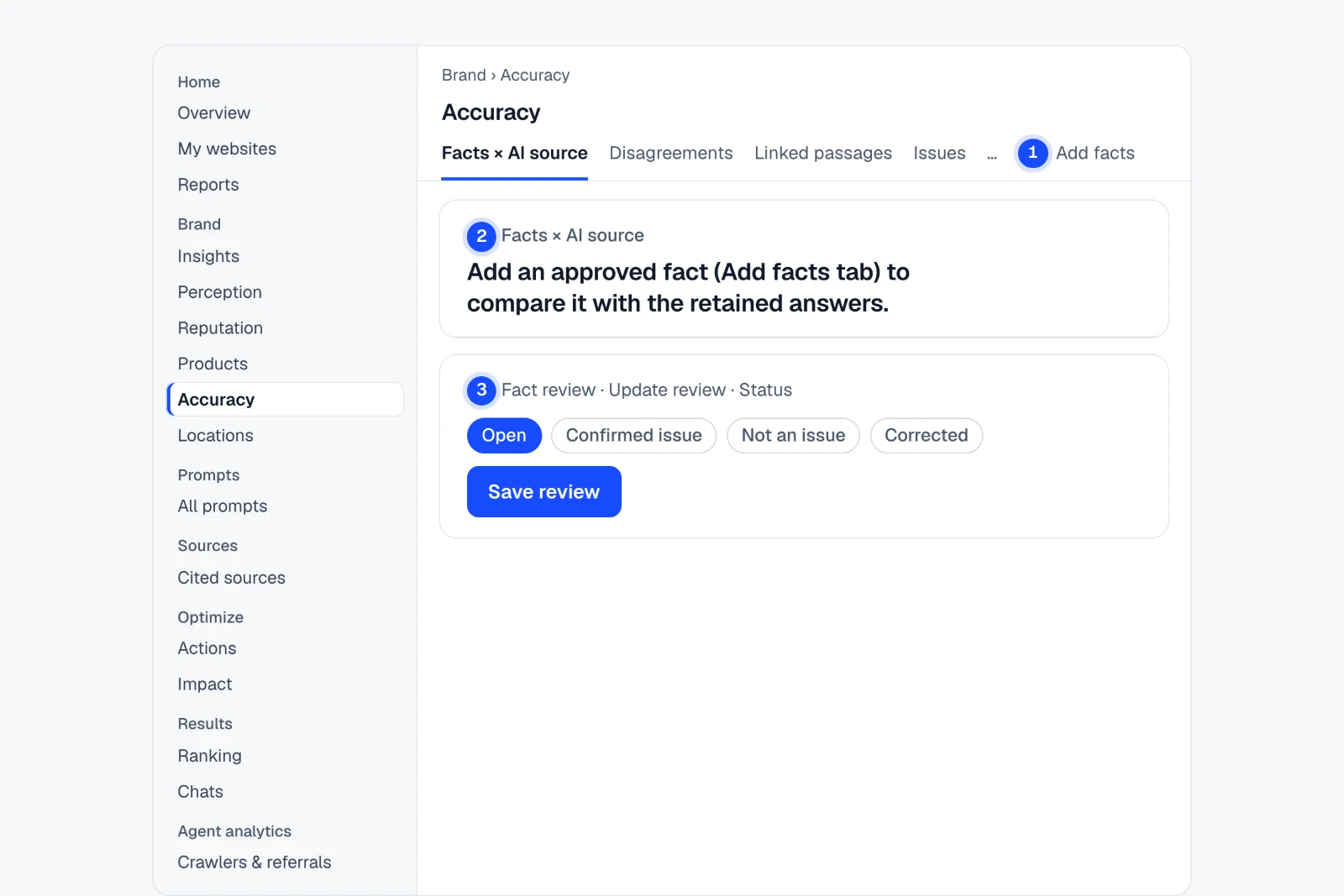
- Open Accuracy › Add factsAdd an approved fact, or import a CSV in Insights › Answer insights › Fact review.
- Read “Facts × AI source”Each AI’s wording beside your approved fact, once one is added.
- Open “Update review” in Fact reviewSet Status (Open, Confirmed issue, Not an issue or Corrected), then “Save review”.
IndexHalo compares wording; your team decides what is true.
Example findingChatGPT says HubSpot’s free plan covers two users. Claude says unlimited.
See where it is in the app Step-by-step guide
Recurring checks and a weekly digest
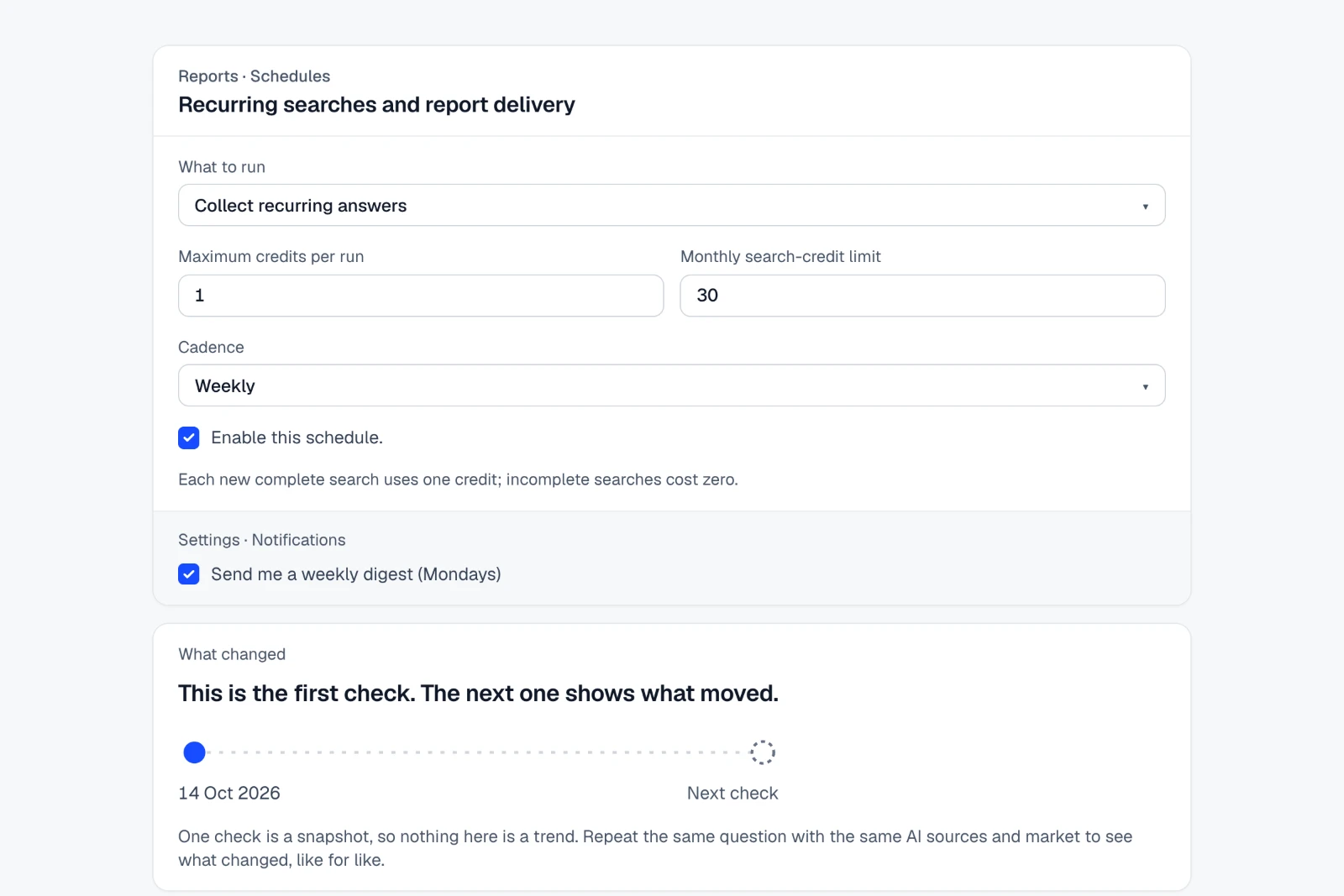
Re-run the same questions daily, weekly or monthly within a credit budget, deliver saved reports by email, and get a weekly digest. Changes are compared only between like-for-like checks.
How to do it in IndexHalo
Home Reports Schedules
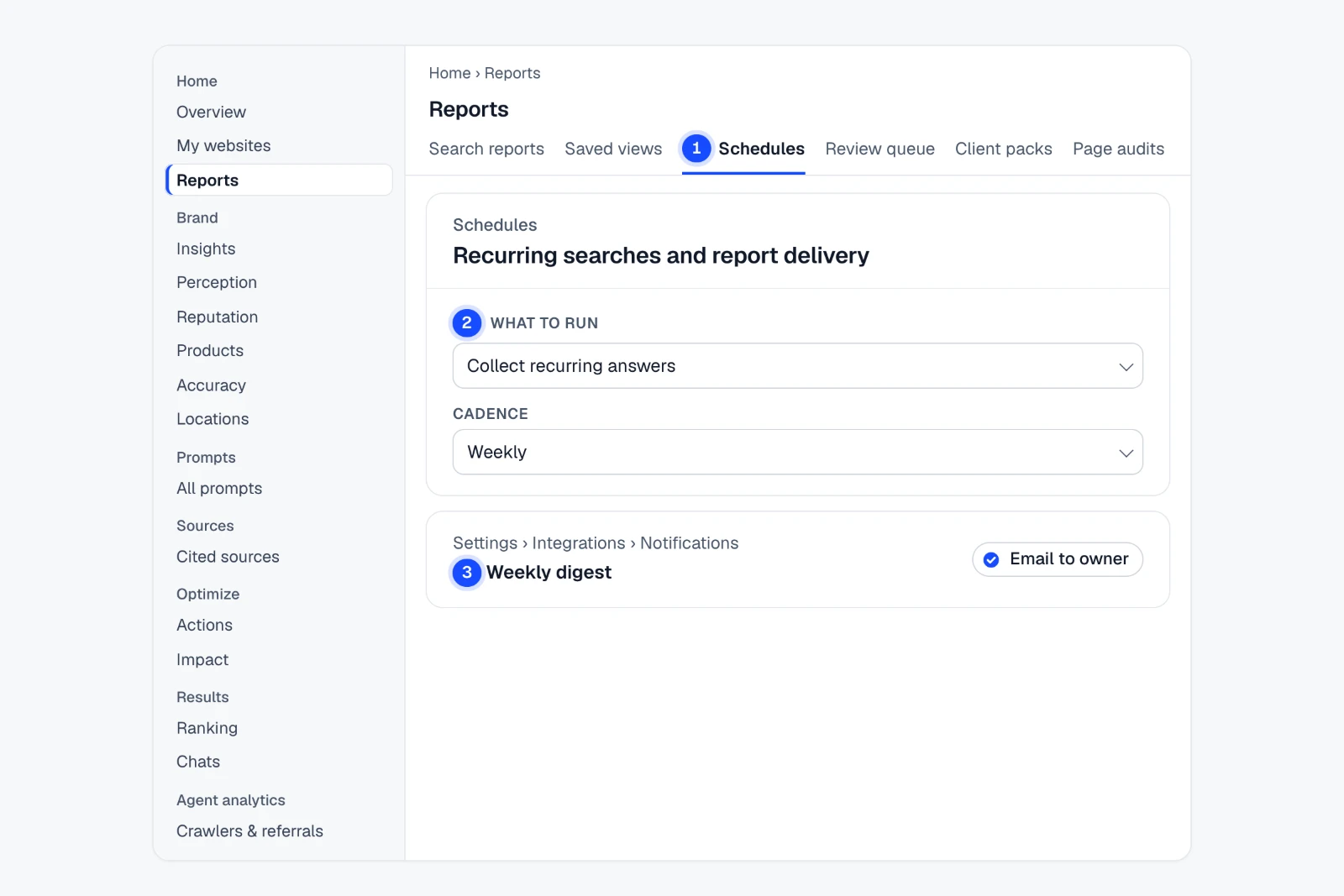
- Open Reports › SchedulesRecurring searches and report delivery in one place.
- Set “What to run” to “Collect recurring answers”Then a Cadence (daily, weekly or monthly) and the credit limits.
- Turn on the “Weekly digest”Settings › Integrations › Notifications, then “Email to owner”.
Each new complete search uses one credit. Change is shown only between like-for-like checks.
Example findingAsk the same questions every week. See only what really changed.
See where it is in the app Step-by-step guide
Check every market you sell in
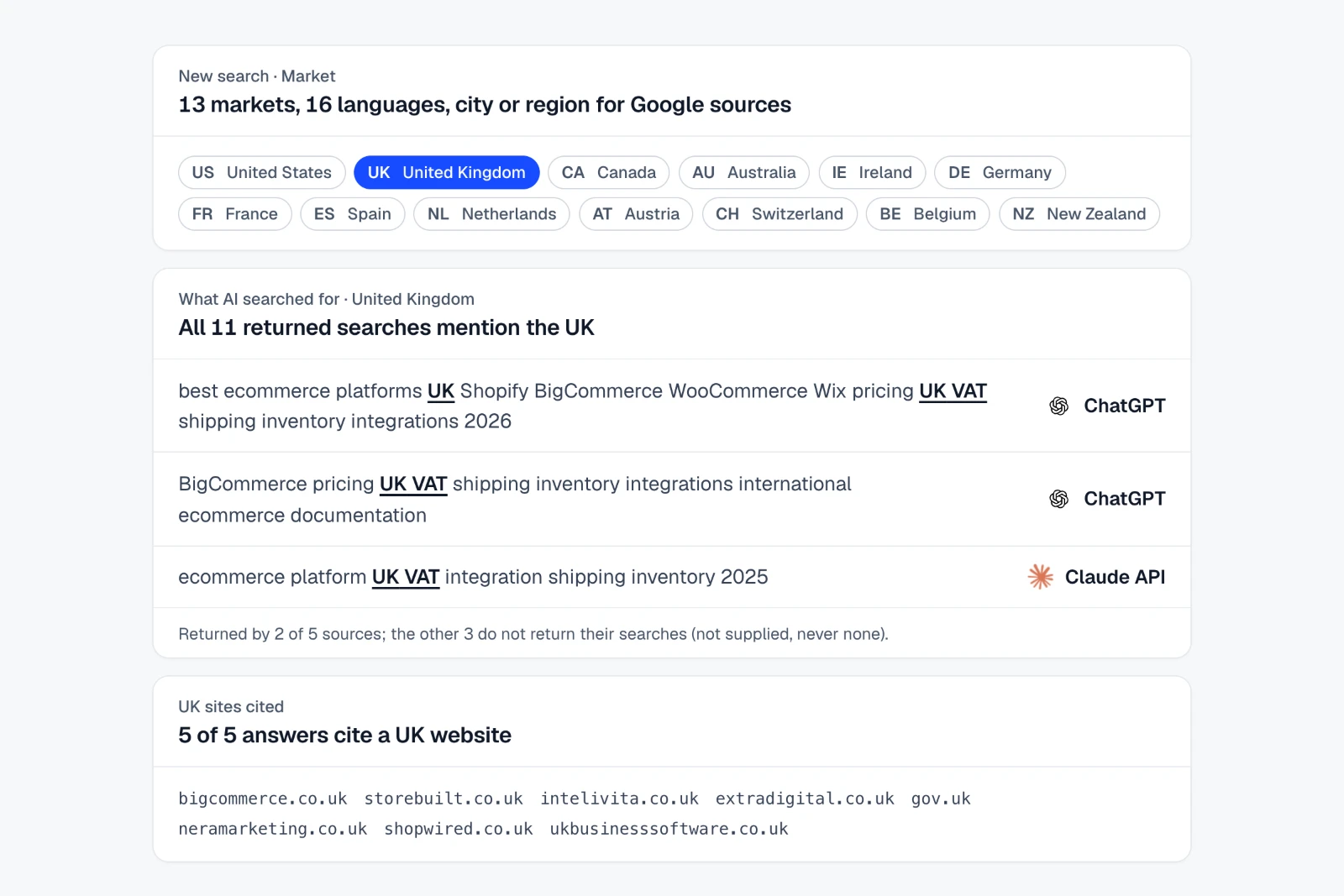
Ask each question in the market and language your buyers use: 13 countries and 16 languages, with city or region targeting for Google sources.
How to do it in IndexHalo
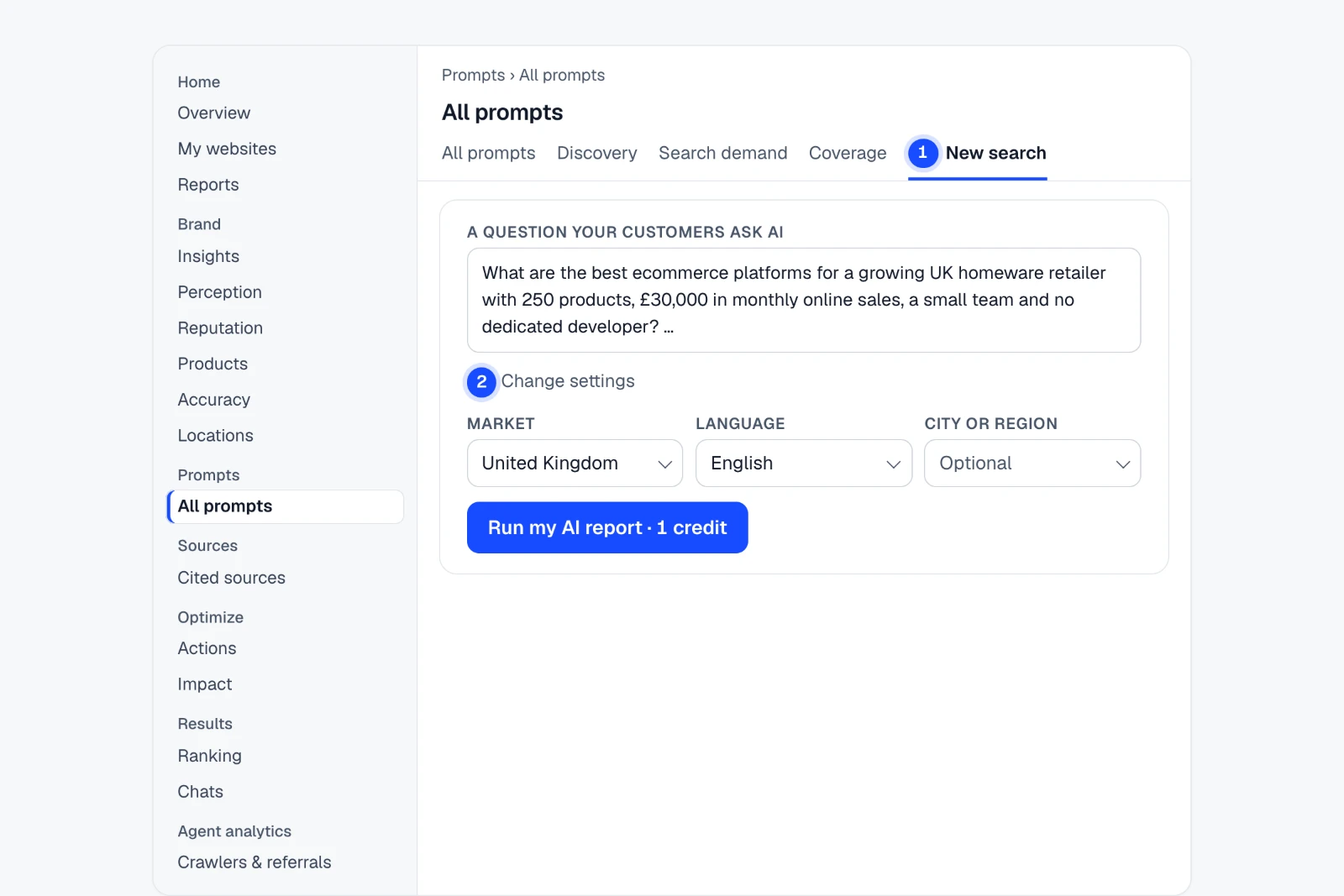
Prompts All prompts New search
- Open All prompts › New searchWrite “A question your customers ask AI”.
- Open “Change settings”Set Market, Language and City or region: 13 countries, 16 languages; city or region for Google sources.
- Compare in Insights › Markets & devicesSee each market’s answers side by side.
Sentiment and recommendation analysis is English only. Mentions, citations and positions work in any language.
Example findingAsked as a UK buyer, every AI answer cited at least one UK website.
See where it is in the app Step-by-step guide
AI crawler and referral analytics
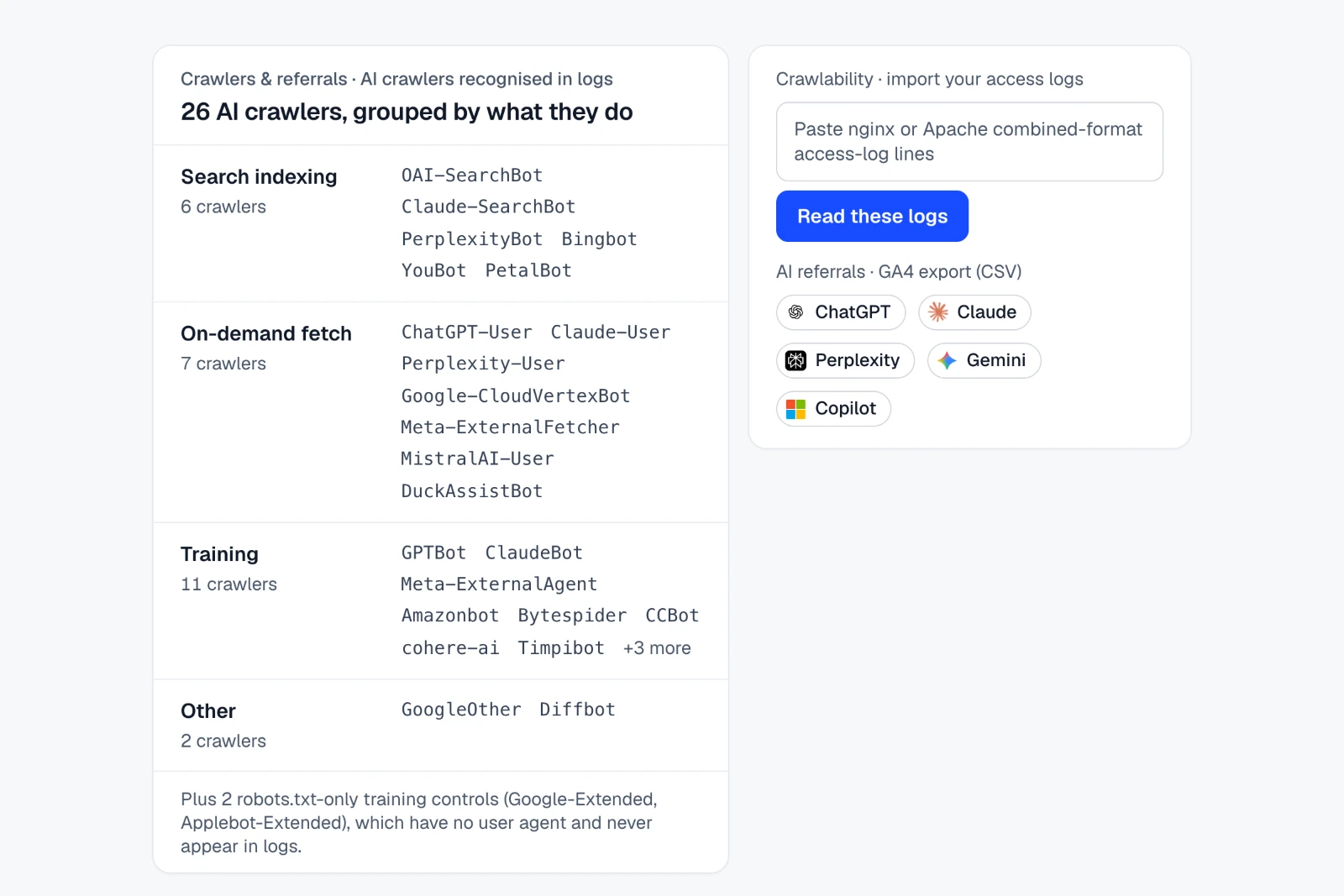
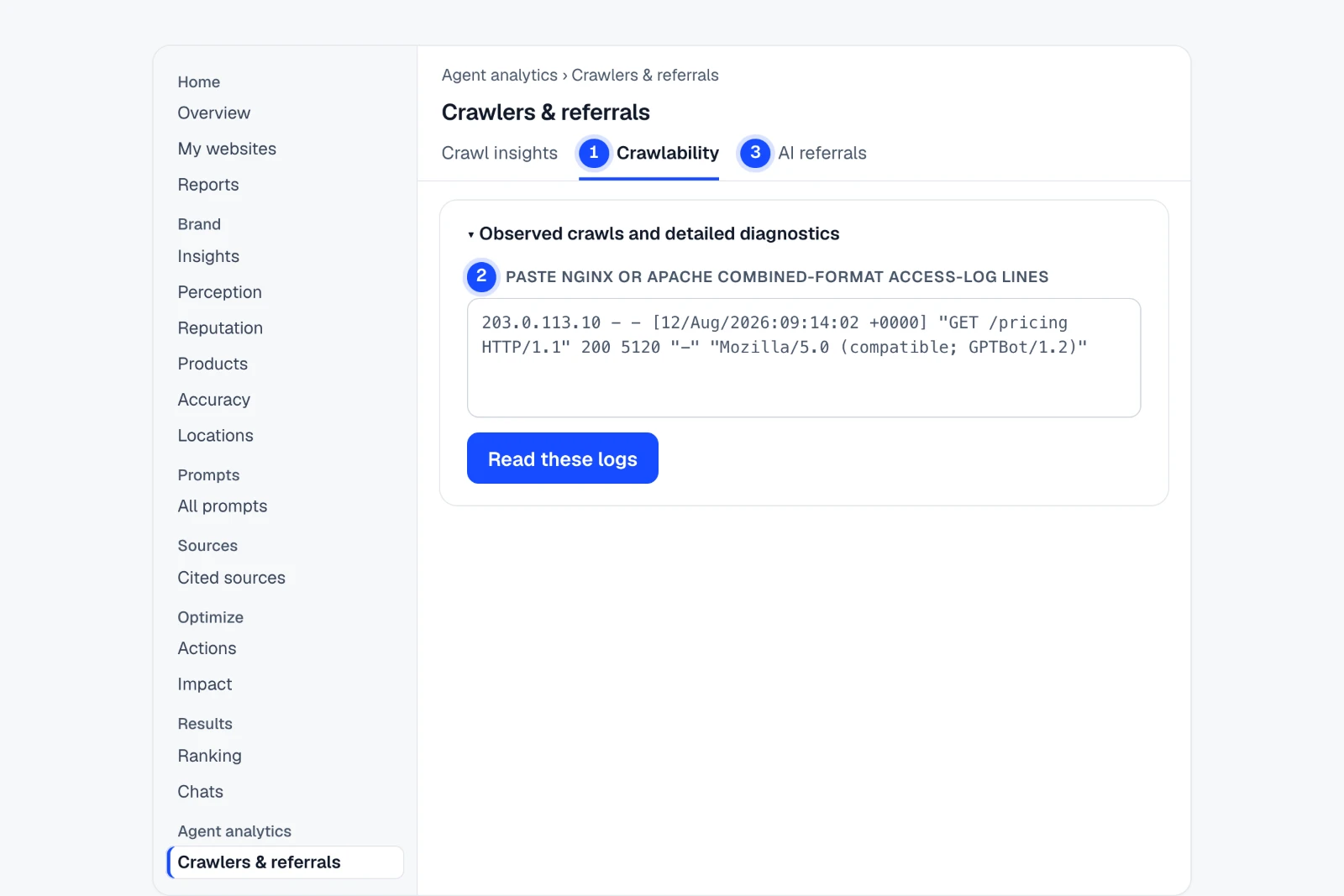
Paste server logs in Crawlability to see which of 26 recognised AI crawlers fetched your pages, and upload a GA4 export to see visits referred by ChatGPT, Claude, Perplexity, Gemini and Copilot.
How to do it in IndexHalo
Agent analytics Crawlers & referrals
- Click “Import crawler logs” in Crawl insightsIt opens the import on Crawlability. Recognises 26 AI crawlers in logs.
- Paste access-log linesnginx or Apache combined format, then “Read these logs”.
- Upload a GA4 export in “AI referrals”Visits from ChatGPT, Claude, Perplexity, Gemini and Copilot.
Data comes from logs, event feeds and exports you supply. IndexHalo adds no tracking script and does not store raw IP addresses.
Example findingKnow which of 26 AI crawlers read your site, and which AI sends visitors back.
See where it is in the app Step-by-step guide
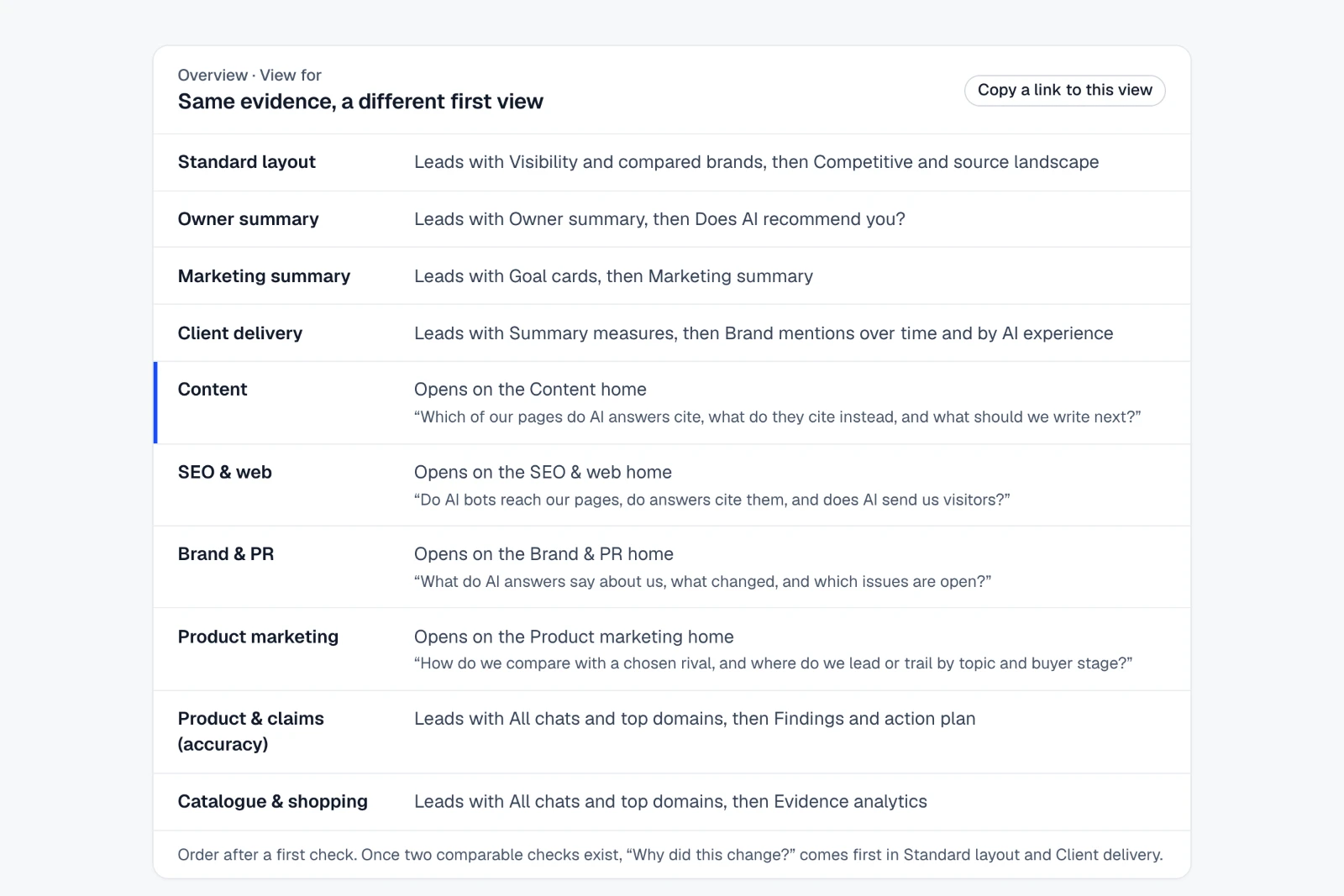
A starting view for every role
Teams using the Owner summary, Marketing summary, Client delivery, Content, SEO & web, Brand & PR, Product marketing, Product & claims (accuracy) and Catalogue & shopping views each open the Overview on what they act on, with the same evidence and figures.
How to do it in IndexHalo
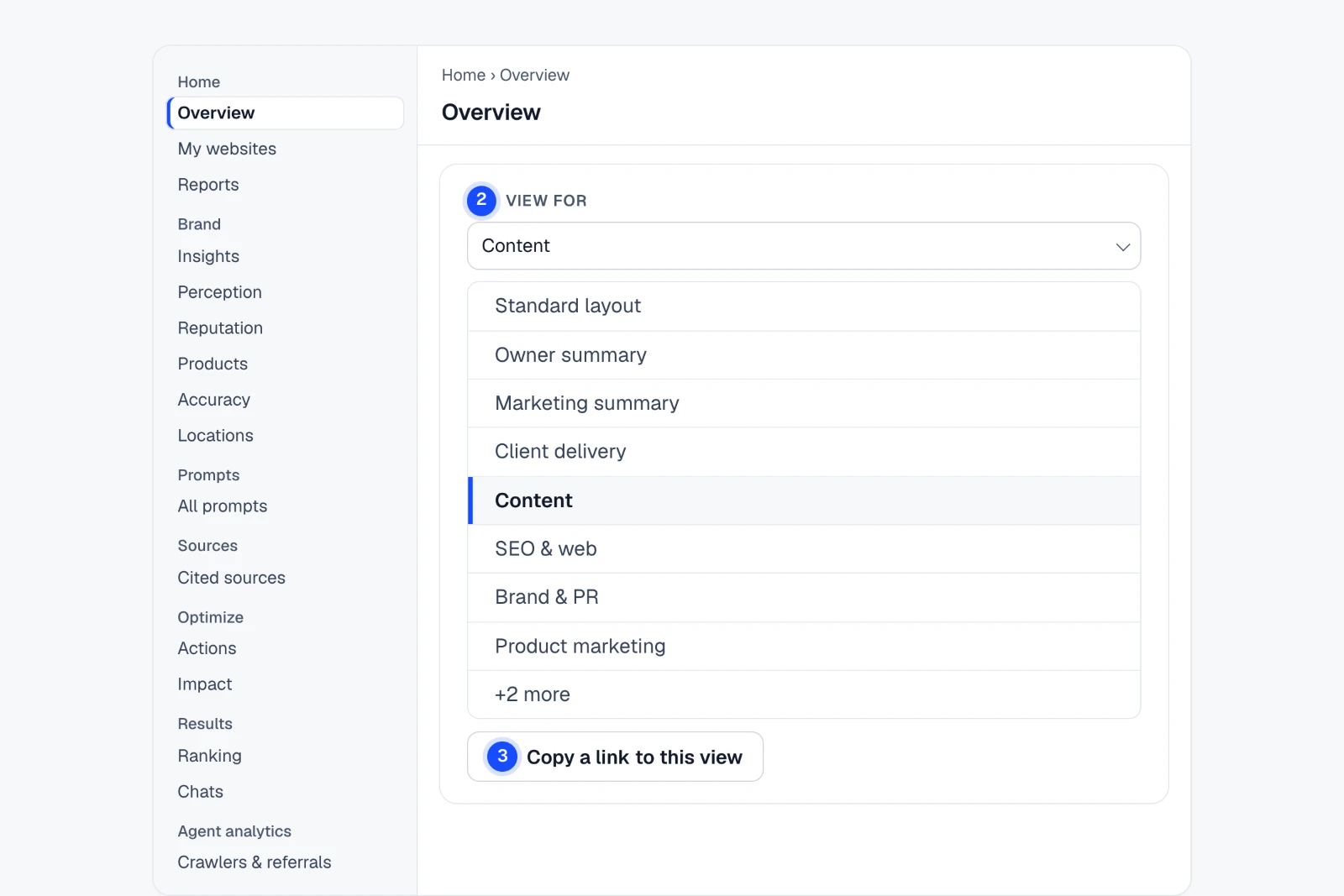
Home Overview View for
- Open OverviewThe same evidence and figures for everyone.
- Choose a role in “View for”Four roles open on their own team home; the others reorder the same modules.
- “Copy a link to this view”The link keeps the role view, so your team opens the same page.
Your choice is saved for your account. A shared link always opens its own role view.
Example finding10 starting views. One set of numbers.
See where it is in the app Step-by-step guide
See why AI cites who it cites
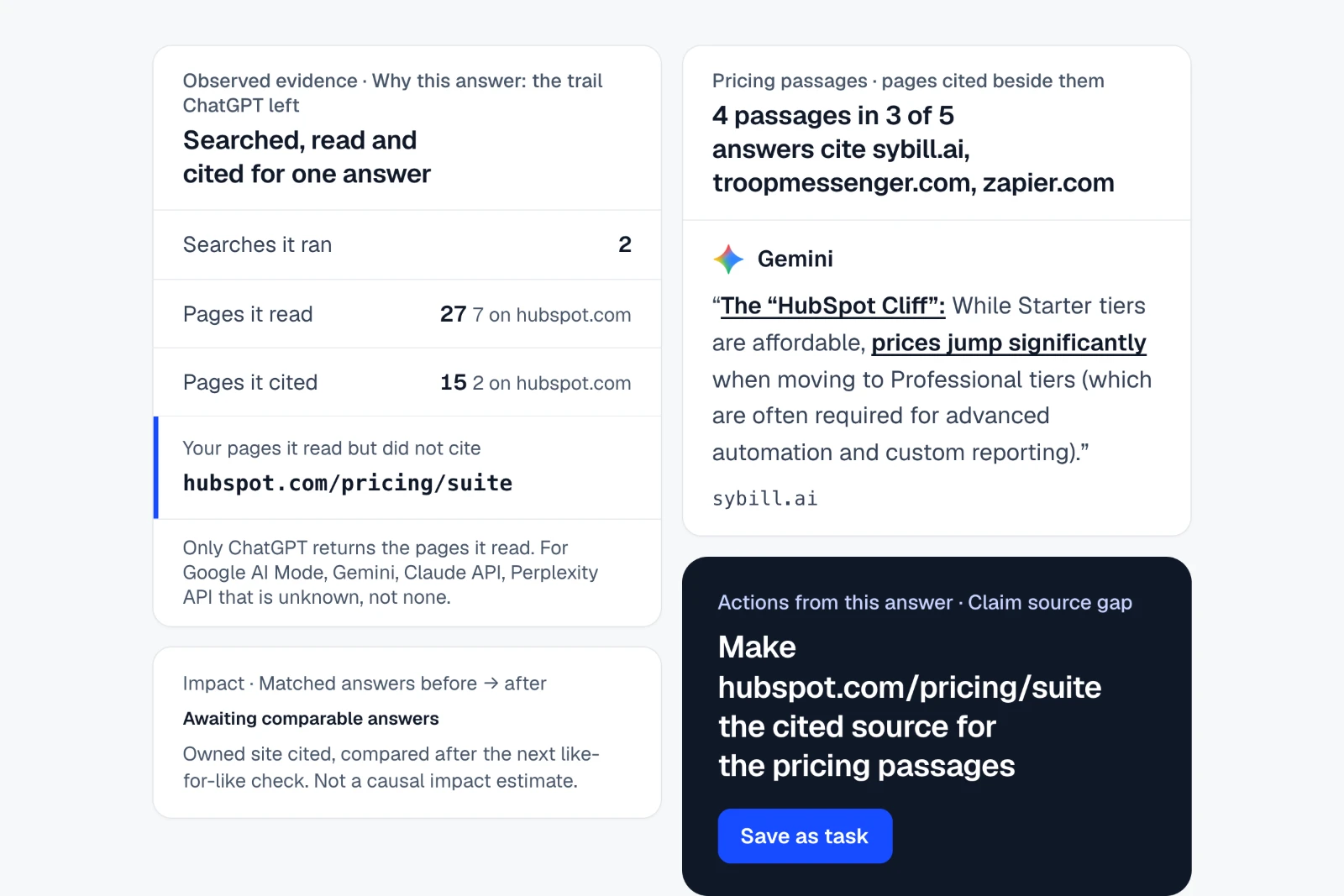
For each answer, see the trail it left: the searches it ran, the pages it read and the pages it cited, passage by passage. Save a gap as your next fix, then compare matched answers after it ships. Observed evidence, never the model’s reasoning.
How to do it in IndexHalo
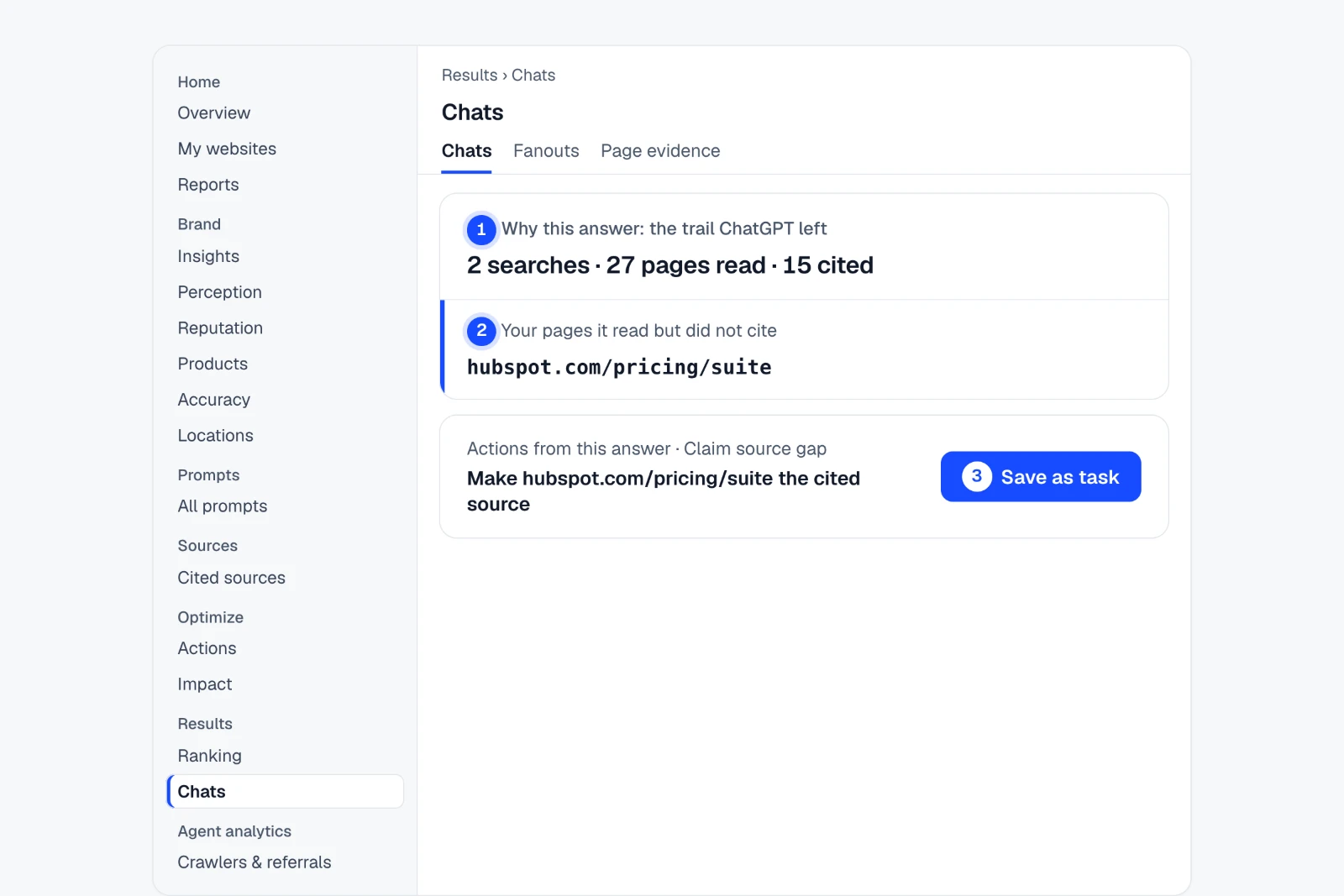
Results Chats Why this answer
- Open Chats, then open an answerIts “Why this answer” trail: what it searched, read and cited.
- Read “Your pages it read but did not cite”ChatGPT read hubspot.com/pricing/suite and cited other sites.
- “Save as task” in “Actions from this answer”Then follow it in Optimize › Impact once a comparable answer exists.
This is the record the answer left, not the model’s reasoning. Only some AI sources return the pages they read.
Example findingChatGPT read hubspot.com's pricing page. It cited other sites.
See where it is in the app Step-by-step guide
From an answer to a fix you can check.
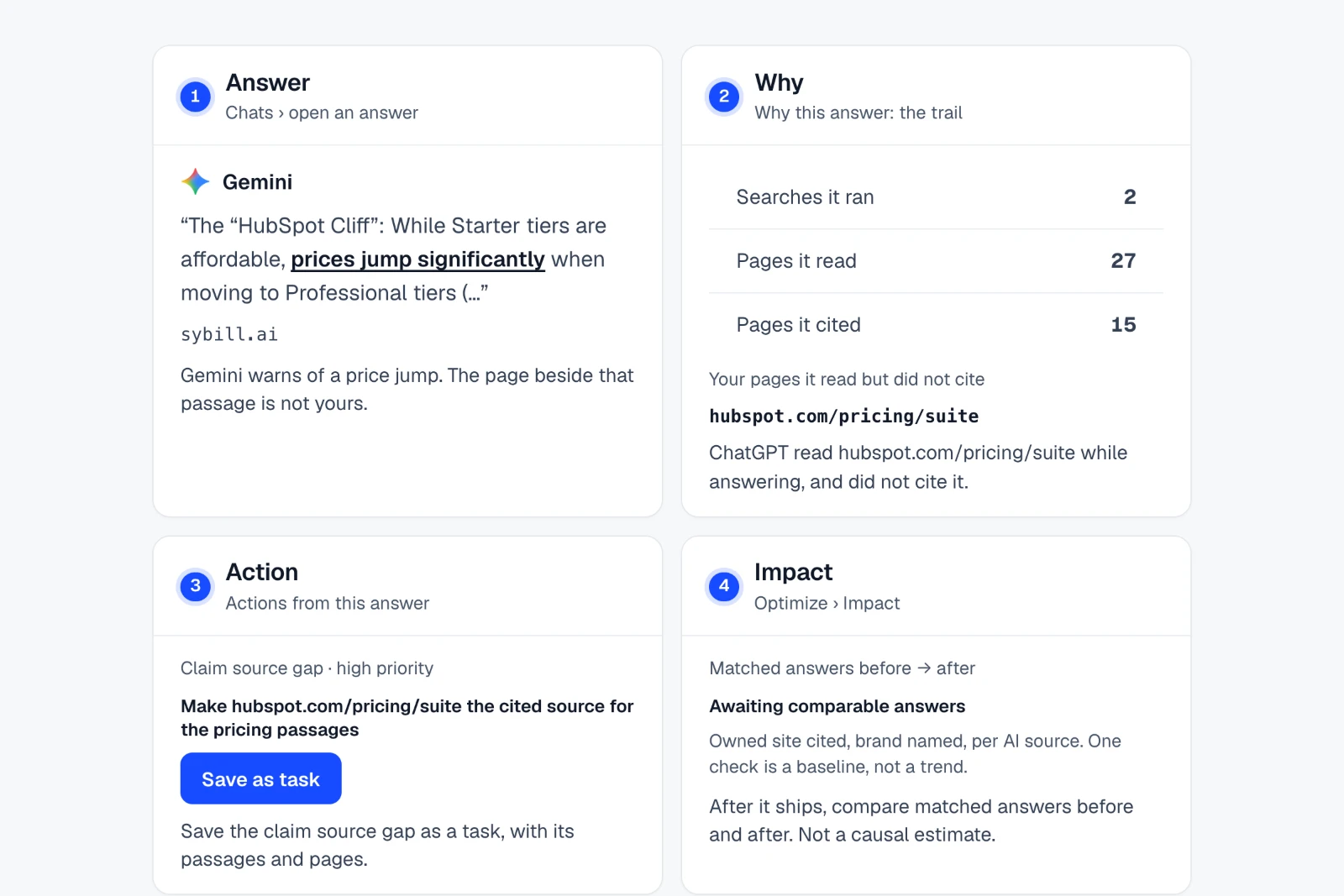
- 01 · AnswerChats › open an answer
Gemini warns of a price jump. The page beside that passage is not yours.
- 02 · WhyWhy this answer: the trail
ChatGPT read hubspot.com/pricing/suite while answering, and did not cite it.
- 03 · ActionActions from this answer
Save the claim source gap as a task, with its passages and pages.
- 04 · ImpactOptimize › Impact
After it ships, compare matched answers before and after. Not a causal estimate.
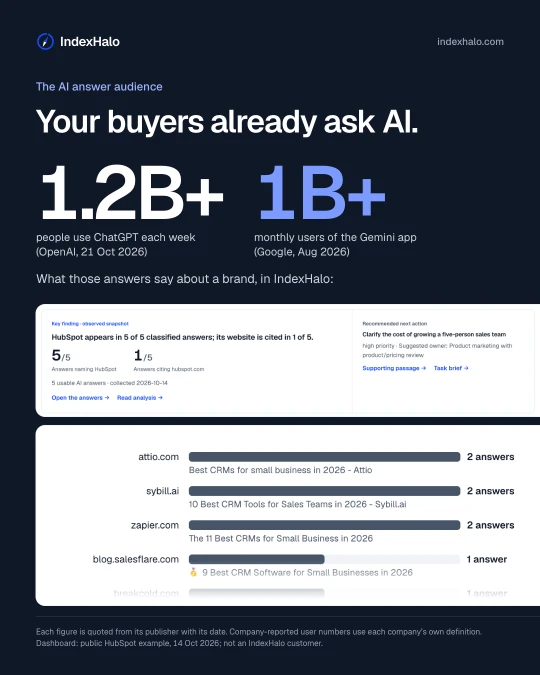
The AI answer audience
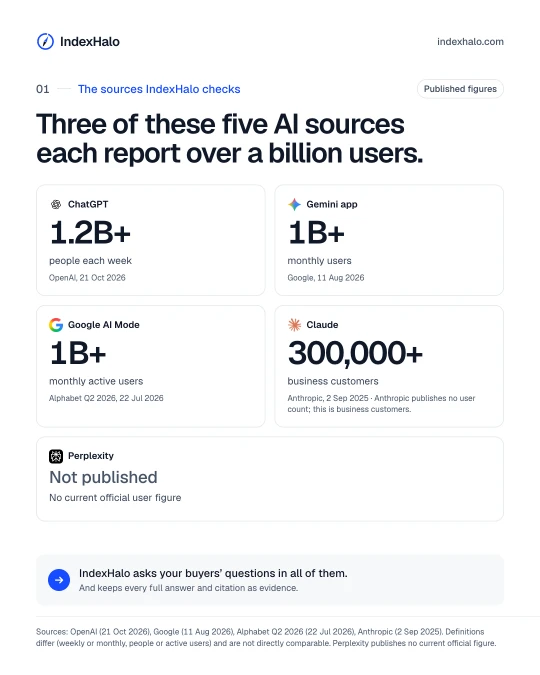
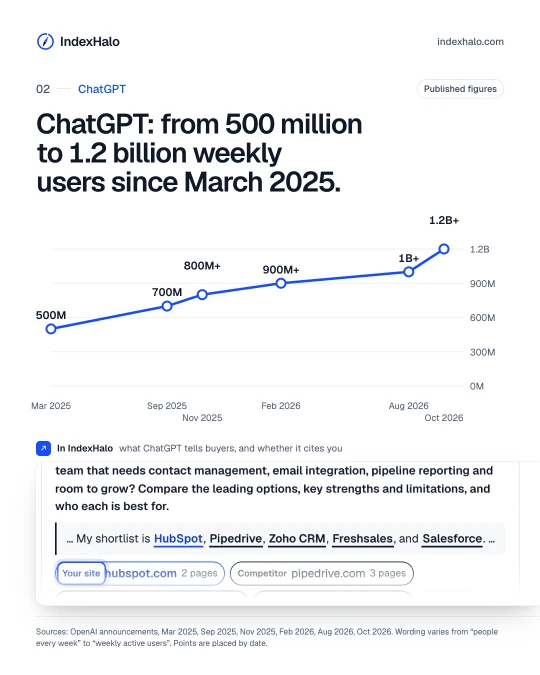
Published figures on the people and businesses that use AI for answers, starting with the five AI sources IndexHalo checks, each paired with the IndexHalo screen that shows what those answers say about a brand.
Sources for these figures 13
- ChatGPT: 1.2B+ people each week. OpenAI, 21 Oct 2026
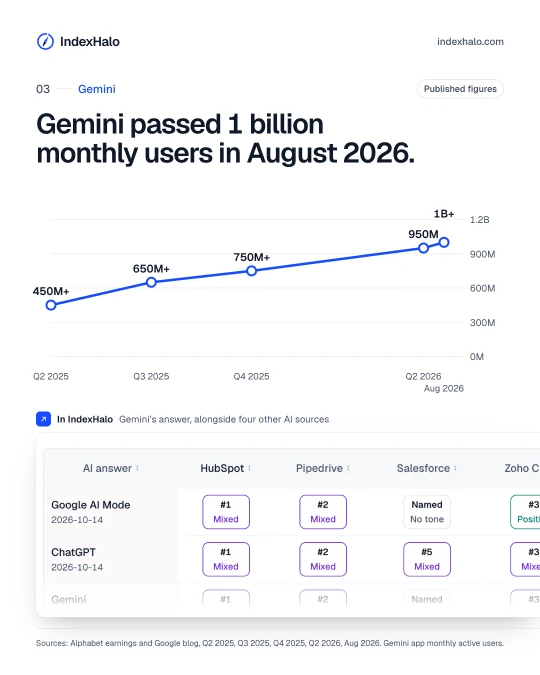
- Gemini app: 1B+ monthly users. Google, 11 Aug 2026
- Google AI Mode: 1B+ monthly active users. Alphabet Q2 2026, 22 Jul 2026
- Claude: 300,000+ business customers. Anthropic, 2 Sep 2025
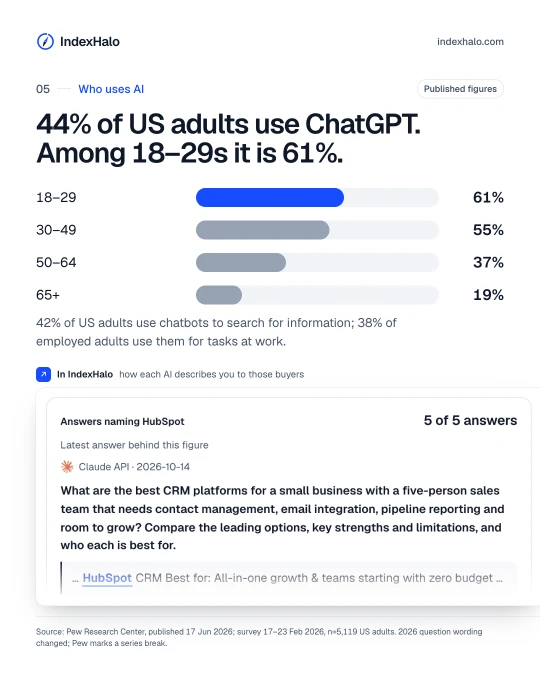
- 44% of US adults use ChatGPT; 61% of 18–29s. Pew Research Center, 17 Jun 2026
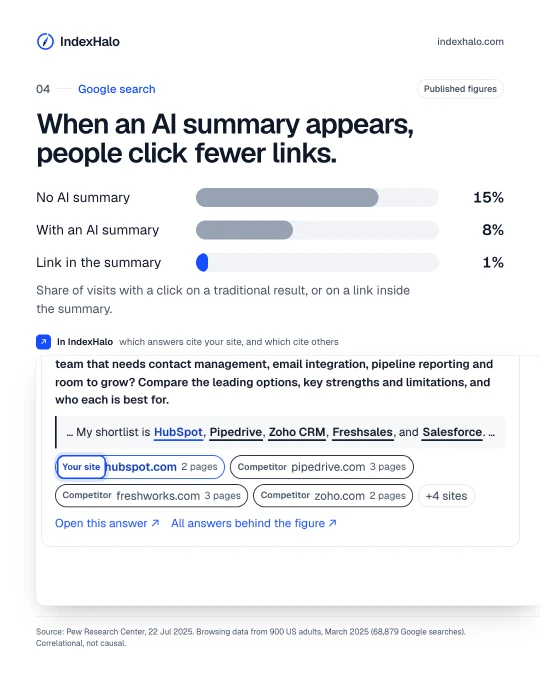
- Clicks on a traditional result: 8% of visits with an AI summary, 15% without. Pew Research Center, 22 Jul 2025
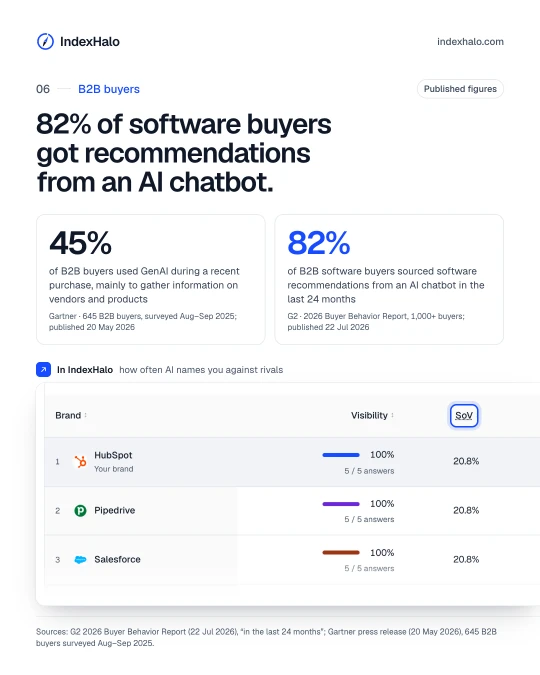
- 45% of B2B buyers used GenAI during a recent purchase, mainly to gather information on vendors and products. Gartner, 645 B2B buyers, surveyed Aug–Sep 2025; published 20 May 2026
- 82% of B2B software buyers sourced software recommendations from an AI chatbot in the last 24 months. G2, 2026 Buyer Behavior Report, 1,000+ buyers; published 22 Jul 2026
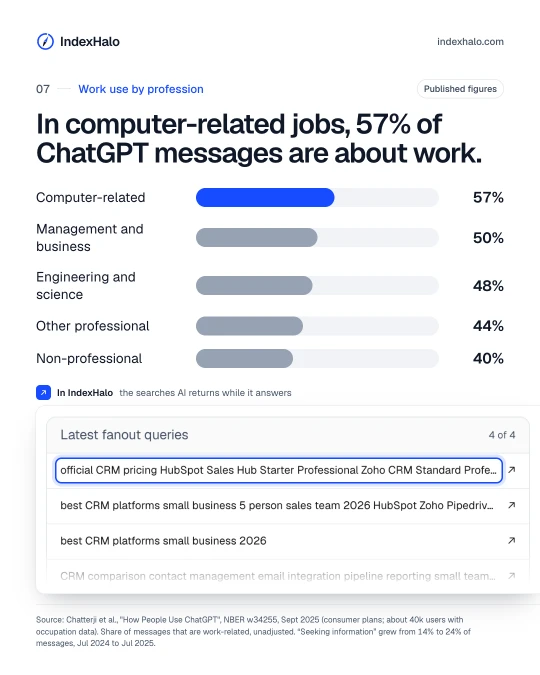
- 57% of ChatGPT messages are work-related in computer-related jobs. NBER w34255, Sept 2025
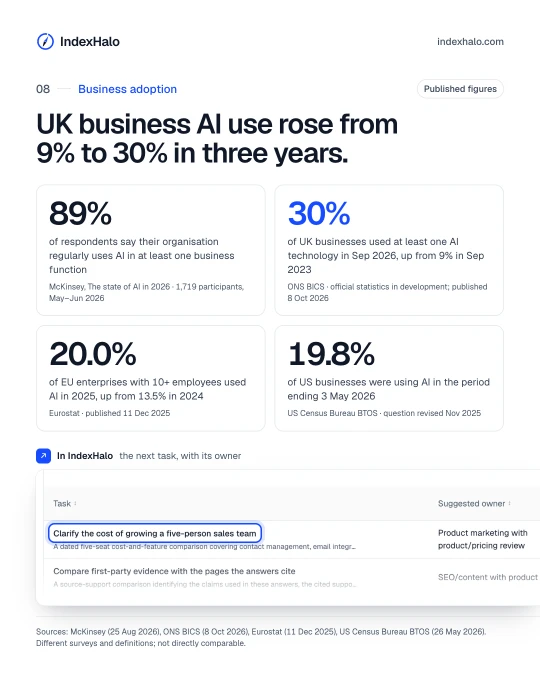
- 89% of respondents say their organisation regularly uses AI in at least one business function. McKinsey, The state of AI in 2026, 1,719 participants, May–Jun 2026
- 30% of UK businesses used at least one AI technology in Sep 2026, up from 9% in Sep 2023. ONS BICS, official statistics in development; published 8 Oct 2026
- 20.0% of EU enterprises with 10+ employees used AI in 2025, up from 13.5% in 2024. Eurostat, published 11 Dec 2025
- 19.8% of US businesses were using AI in the period ending 3 May 2026. US Census Bureau BTOS, question revised Nov 2025
Company-reported user numbers use each company’s own definition and are not directly comparable. Perplexity and Anthropic publish no current official user count.
How these examples were made
Every product example on this page comes from retained answers (a HubSpot search collected on 14 October 2026 and a Shopify search collected in the United Kingdom on 15–17 October 2026) or shows the app’s own settings and generated output, as each caption says. Each search is one buyer question in one market, so nothing in those examples is a trend or a market-wide measure. The AI answer audience deck quotes published third-party figures, including growth over time, each with its publisher and date. HubSpot and Shopify are independent examples, not IndexHalo customers. App labels are as shipped on 21 October 2026. Read the method.
Run the same check on your brand.
Start with a free report, then follow the guides above in your own workspace.
Get a free report